Oooo. I have a 4 day weekend next Wednesday. That sounds like a great time sink.
(backup testing regime / hair pulling exercise / wailing wall excursion)
I’ll give it a whirl.
Oooo. I have a 4 day weekend next Wednesday. That sounds like a great time sink.
(backup testing regime / hair pulling exercise / wailing wall excursion)
I’ll give it a whirl.
So I’ve spent a lot of the day playing with my iSolarCloud and in the process came across a recent discussion about Sungrow batteries and inverters from some Brisbane installers who have been Fronius guys in the recent past. They gave it a thumbs up.
This may be of interest to those of us have had or have recently acquired or will soon acquire a Sungrow system.
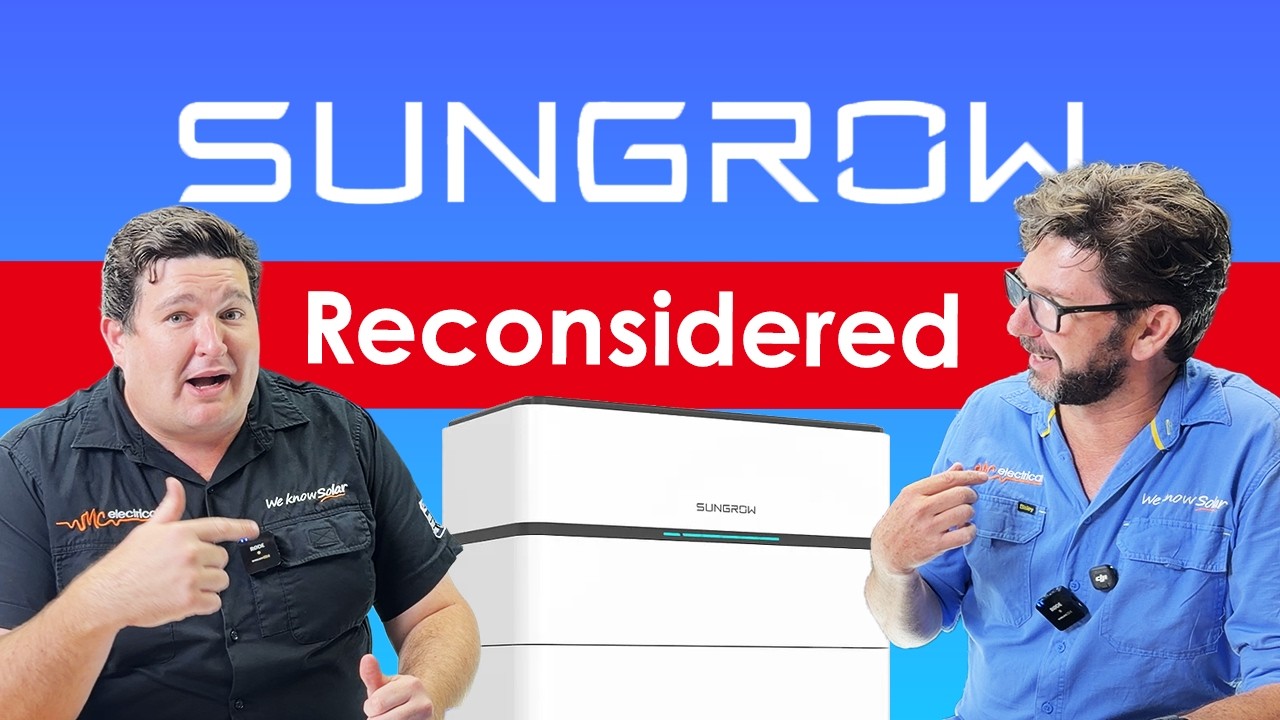
Addit: My wife was pleased to hear that it is getting harder to blow up the batteries.
Well, Thanks @Belfry 
I have updated to the new version of Mkaiser. It was easy as pie to update now that I have the base knowledge of HA and YAML integrations, but they have changed the way manual control actions are ….. action-ed.
For @zeeclor it should actually be easier with version 2 as inverter changes are now done by activating “Scenes” rather than making input select changes to one or two EMS states at a time.
I just had to update 50% of my automation’s to use the scenes instead as manual changes to EMS states were not working any more.
All in all, just a few hours work. Now to see if it will work as intended or if I screwed up somewhere
Hi All,
just found this and have read thru the full journey.. thus far.
Long time Fronius Inverter/hybrid/battery customer - with my new Sungrow 20kW inverter /40kW battery on order - sched for install in couple of weeks.
Im a “recent” HA user (2 mths along the journey) but have it integrated nicely with fronius system (that will be deinstalled) .. and doing some advance reading & prep work ahead of Sungrow install.
After some interesting challenges with integrating the fronius (i actually have two inverters, one a hybrid with battery) .. that created additional challenges in HA … im “ready” for challeenges with sungrow - but heartened by some of teh commenst above - tha suggest it may be smooth (ish
i have teh kaiser “integration” installed (well ready .. once i get inverter et al operational)
will continue to read your experiences with interest - and no doubt will be back with questions!
regards from “up the road” .. on the Sunshine Coast
and i mistype badly i see !! excuse my spelling
Well, Thanks @Belfry
I have updated to the new version of Mkaiser. It was easy as pie to update now that I have the base knowledge of HA and YAML integrations, but they have changed the way manual control actions are ….. action-ed.
For @zeeclor it should actually be easier with version 2 as inverter changes are now done by activating “Scenes” rather than making input select changes to one or two EMS states at a time.
I just had to update 50% of my automation’s to use the scenes instead as manual changes to EMS states were not working any more.
All in all, just a few hours work. Now to see if it will work as intended or if I screwed up somewhere
Hi Greg,
Welcome. My first taste with HA was because of solar and battery. What is the process like with Fronius? I had a fronius inverter, but when I upgraded to battery’s I upped the panels and changed inverter manufacturer.
Cheers
Steve
Hi @GregY welcome to HLB. This week I am also up the Sunshine coast where it isn’t.
My new solar system in Brisbane is also bathing in rain and I note today that it’s taken to almost 3 pm before my battery has recharged from the overnight drain.
I looked at the mkaiser integration today and got stuck on two issues. Firstly it seems I cannot connect the wifi modbus over the LAN. Perplexity tells me I have to connect to the WiNet‑S QR directly to achieve this. Secondly in trying to install mkaiser the github download fails as I am trying to download over my wireguard VPN.
Such is life.
It was a bit of a mish mash >
Im using Symo Hybrid (3 phase) & a Symo 10kw inverter , both connected via ethernet , however to get the two inverters, battery (byd) on hybrid & grid power meter (modbus to hybrid inverter) , was a mix of modbus and solar API v1 … and then i had to create separate sensors for charge and discharge of battery & aggregated solar (one string on hybrid, two on seconf inverter) … so it was quite a bit of work .. but i now have the HA default energy cards working - along with some additional custom cards. also have it calculating time of day consumption & costs … so i can see my daily cost components etc.
the fornius API has some limitations in the data it provides - hence a number of additional meter sensors and accumulators statistics etc al needed
and now its all working in HA - im swapping out the fronius - haha (BYD battery is now going on 7 yr old - still working ok, but has lost ~15%+ capacity .. and now i can “only” get ~8.5kWh usable out of it overnight - way too little for my power hungry house!
but all of my work has been a great HA learning experience - supplemented by a LOT of AI assistance … the fronius doesnt? (well i never found it) have a simple method of controlling its charge/discharge on a “dynamic” basis …. so i just left system to manage “zero grid consumption “ as much as possible - with a skew to eliminate “any” peak TOU consumptiuon
of course our current (not) sunny coast weather - means the battery struggling to charge .. after meagre solar powering the house … hence my forthcoming move to 40kWh battery
@zeeclor - Modbus may not be enabled (port 502 should be open on the inverter’s IP, or 516 for encrypted Modbus). The installer can enable that, or alternatively you can reset the password and get access to do it yourself, which doesn’t impact iSolarCloud at all (it’s only a local reset). I took the latter option. Mine has been variously enabled or disabled based on the firmware version installed and this was one of the things that tripped me up a few times. It’s in the web interface for the inverter itself (not iSolarCloud) under System → Forwarding Configuration → MODBUS. Definitely wouldn’t recommend screwing around with any other settings in there, but enabling Modbus was the missing piece of the puzzle for me. It’d work sometimes, and then an update would come and cut the Modbus feed and I’d scratch my head for months before another update would come and it’d magically work again. I suspect like a lot of things with my setup (e.g., the issues I had getting the HA integration working), I was probably bumping into a weird edge case.
–
@GregY - Welcome! Well done getting the energy cards working, as that’s most of the hard work! For monitoring individual devices, may I suggest the Home Assistant Compatible Goodies thread as I’ve had a huge amount of success with the Athom ESPHome based monitors and they’re fairly inexpensive. @Ceasar909 is our resident expert on the automating charge/discharge side of things! I haven’t got a battery in my system.
@Ceasar909 - Glad to hear the upgrade went well, and thanks for the update. It’ll be a few weeks before I get a chance to sit down and get it done myself, but I’ll add it to the list of jobs to catch up on now that you’ve had some success!
thnaks for heads up .. ive had a number of histroic power consumption moniotoring devices from earlier automations system..
these days for various functionality reasons, avail & cost , with history mixed in,
my mix includes
embedded zwave & wifi switching devices (with integral power monitoring)
GPO plugs (wifi tuya, tasmota and zigbee)
shelly DIN rail, and most recently some wifi tuya based CT style (dual) that im using inside switchboards to monitor whole circuits
different devices for different purposes . but im very impressed with $cost and capability of the CT clamp devices (after a manual calibration) … at ~$20 to monitor two switchboard circuits - great value
The CT clamp setup worked great when I was using them (a CurrentCost and then a Wattson unit). The Sungrow S100 is essentially the same thing, but integrated really well into the whole Sungrow ecosystem and I can now get the same data into Home Assistant without all the mess of stuff hanging out of my switchboard.
Hi,
How are you doing with your system? Have you made progress with the above issues?
Cheers
Steve
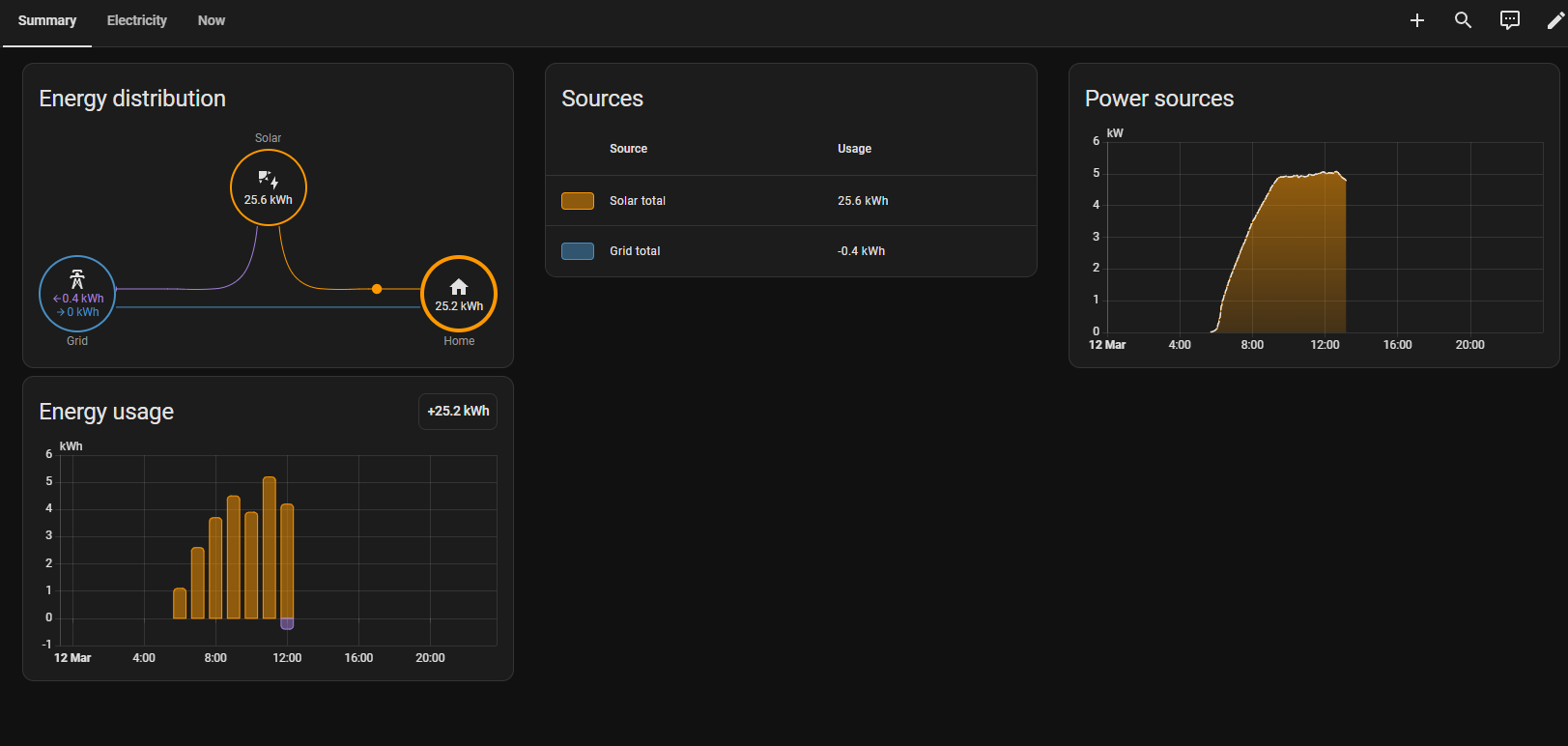
Thank you!
Feeding the configuration into ChatGPT has given me a step by step on how to use it with my setup. Just started showing up now in my energy dashboard, keen to see how it goes!
Hi Steve, still away from home until early next week so little progress.
In fact at the moment I am going backwards. It took a while for Amber to recognise my inverter due to the wrong address being entered by the installers. (Such is the issue with living on a corner.) After finally working out the problem and correcting it I am now in Amber’s testing phase. That reportedly takes 2 to 3 days but yesterday I received my Energex notification that there were some further checks to be made by the electricians.
Today I am feeding into the grid at about 12kW with a current feed in price of negative one cent.
It is a long and winding road to full electrification. Patience is a virtue.
I’ll give you three cents, but you’ve got to find a way to shift it to my place. Deal? 
Done. I’ll make sure to double bag it though.

My install date has moved around a bit, but hopefully tomorrow’s the day.

matthew919
a suggestions for you (i see you have solar)
in my default dashboard its called “energy” (i think it recently changed and now called electricity… per yours)