I’ve just got some quotes for solar panels with batteries. There are two options; Sungrow and Tesla.
I’m gonna be disappointed if whatever i get doesn’t play nicely with Home Assistant.
Any advice?
I’ve just got some quotes for solar panels with batteries. There are two options; Sungrow and Tesla.
I’m gonna be disappointed if whatever i get doesn’t play nicely with Home Assistant.
Any advice?
I’ve got a Sungrow (non-hybrid) setup.
I’ve tried:
The top two work fine, and feed into the energy dashboard of HA beautifully. In my particular configuration, my current usage/draw from grid is missing as I can’t get the data from the S100 meter via any method, although it’s in iSolarCloud. The iSolarCloud scraper worked but I wasn’t keen on that as a long term solution. I thought I saw data from the S-100 available at one stage while digging through the raw Modbus data, but ended up restoring a backup snapshot of HA as I’d mangled it so much trying to get things working. I’ve since read some conflicting information about whether this is a limitation of the WiNet-S adapter itself or whether it can be overcome by a firmware update (it seems that some inverters present that data and some don’t, some firmware versions do and some don’t, and some versions of the WiNet-S hardware do and some don’t…). This is all ~12 months ago and it went into the too hard basket for the time being. Will circle back to it when I’m next speaking with the solar people and either get a network cable run out to the inverter (see the first link for details) or ask about alternate firmwares for the WiNet-S. Plan B was to track consumption via something like the HA Glow which I recall you’ve mentioned a few times, @jdownie.
I’m currently tracking generation only and making assumptions about consumption (e.g., time of day, whether people are home) to turn appliances on and off, rather than basing those decisions entirely on whether excess solar is available.
Happy to walk you through my setup on Thursday night if that helps.
For what it’s worth, I’ve got a few mates who have Sungrow hybrid setups and are very happy with them. I’m also very happy with my non-hybrid setup as far as the actual solar side of it goes.
Thanks again for the nudge to get my own Solar Solution and Home Assistant setup finished (and also for listening to me talk through it several times in “half-finished” form), @jdownie, and @zeeclor.
I did the final clean up this morning, and will drop the following snippets in here in case they’re useful to others. For those who were there, this is a partial write up of the Inverter → Home Assistant part of the discussion we were having online last night.
This has been one of those things I’ve been coming back to on and off since December 2024. I’ve ended up using a significantly cut down version of Martin Kaiser’s excellent Sungrow-SHx-Inverter-Modbus-Home-Assistant project (first link in the post above). It was amazing to see someone else’s demo of it working as designed with their hybrid inverter and battery system last night! Unfortunately, my specific setup has been much more problematic and I’m also unable to get an Ethernet cable run out for the wired Modbus connection recommended by the contributors to that project. As such, I’ve had to rely on the limited Modbus data coming through the WiNet-S adapter, which I only managed to get stable after a firmware update to the WiNet-S and inverter a few weeks ago. I also experimented with the SunGather project (which worked well, but didn’t seem to give me access to data from the S-100 meter) and researched an iSolarCloud web scraper project, which I didn’t want to rely on long-term as I’d rather poll the inverter locally than via Sungrow’s website.
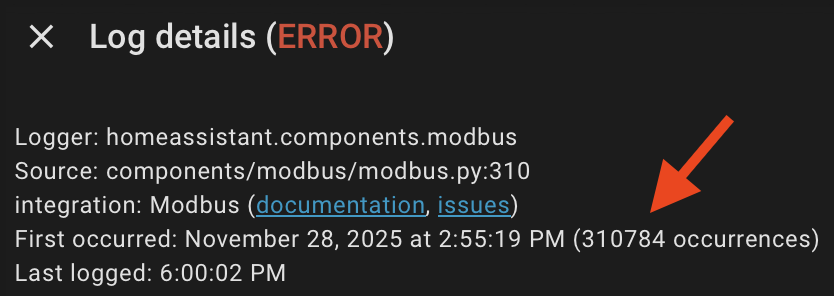
After figuring out which of the subset of Modbus registers were available for my inverter/WiNet-S and then what I could do with those values, I am now only reading address 5002 (register 5003) and 5600 (register 5601). Martin’s project did work brilliantly for reading data out of the inverter, but as the inverter wasn’t offering 99% of the registers normally available, it was filling the HA logs up quite quickly and perhaps also contributing to the instability of the WiNet-S I was experiencing before the firmware update.
Not show stopping, but the penny finally dropped after talking it through with @jdownie and @zeeclor at Chermside recently - I really only need the 5002 (reg 5003) and 5600 (reg 5601) values, I and can synthesise a couple of other values from there. Other very useful registers in the 13xxx series are missing for me (such as daily PV generation, daily exported PV), and I have no use for static values such as the inverter serial number or anything related to batteries, as I don’t have any. 5003 and 5601 are there, and I can get by with only them.
I’m not going to post the cut back version of the above project, as ideally one would run the Modbus cable or get things working properly in Home Assistant the intended way. However, in a pinch, one can get some energy dashboard goodness going using those two registers only:
Watching iSolarCloud confirmed that these values corresponded to the generation and the values being passed through the S-100 meter (either positive for import or negative for export), respectively. I don’t have batteries, so I’ve adopted 5003 as a proxy for generation as it seems to be a broader “energy coming out of the inverter” value, which for me will be just as good as values for PV generation only given that the 13xxx series of registers aren’t available on my setup. That value slots neatly into Solar production in Home Assistant, as is.
The final piece of the puzzle was some YAML to turn sg_meter_active_power_raw (5601) into two separate sensors - one for import and one for export, and then integrated versions of those values for the energy dashboard (Grid consumption, and Return to grid). Code snippets below:
template:
  - sensor:
      - name: "Power Active Import"
        unique_id: "power_current_import"
        state: "{{ [states('sensor.meter_active_power_raw') | float(0), 0] | max }}"
        unit_of_measurement: "W"
        device_class: power
        state_class: measurement

      - name: "Power Active Export"
        unique_id: "power_current_export"
        state: "{{ [(-1 * states('sensor.meter_active_power_raw') | float(0)), 0] | max }}"
        unit_of_measurement: "W"
        device_class: power
        state_class: measurement

sensor:
  - platform: integration
    source: sensor.power_current_import
    name: "Total Energy Imported"
    unique_id: "energy_imported"
    unit_prefix: k
    round: 2
    max_sub_interval: 300

  - platform: integration
    source: sensor.power_current_export
    name: "Total Energy Exported"
    unique_id: "energy_exported"
    unit_prefix: k
    round: 2
    max_sub_interval: 300
For the sake of documentation completeness, I originally left the sg_meter_active_power section included in Martin Kaiser’s project where it takes the meter_active_power_raw value and handles “Unavailable” state, was running that sg_meter_active_power through a filter made in the Home Assistant GUI with an upper bound of 0 (named filtered_meter_export_only, and then had the following sensor taking that negative value and turning it into an absolute value (i.e., converting the negative power into a positive integer representing power being exported):
  - sensor:
      - name: "Power Export Absolute Value"
        unique_id: "total_power_consumption"
        state: "{{ states('sensor.filtered_meter_export_only') | float | abs }}"
        device_class: power
        unit_of_measurement: "W"
This morning I changed to read the raw value sensor instead (5601), handling any non-integer values with | float(0) and using “multiply by -1” to turn any negative (export) values into positive ones. The end result was the power_current_export sensor above. Same same, but it’s a single self-contained sensor now and not a multi step process using a filter created in the GUI + a sensor to convert that filter with a negative value into an absolute value.
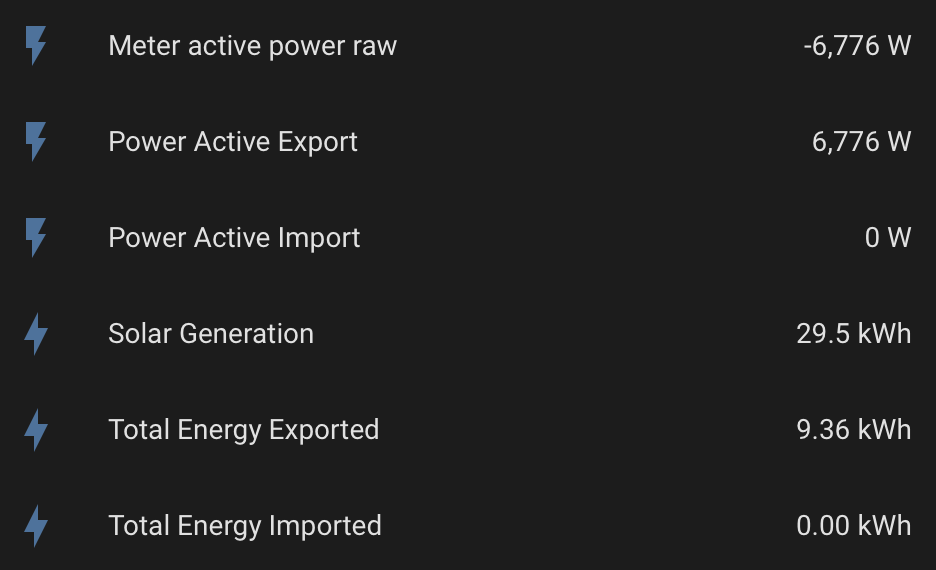
End result is that I get an export power value in W and integrated kWh energy values while exporting:
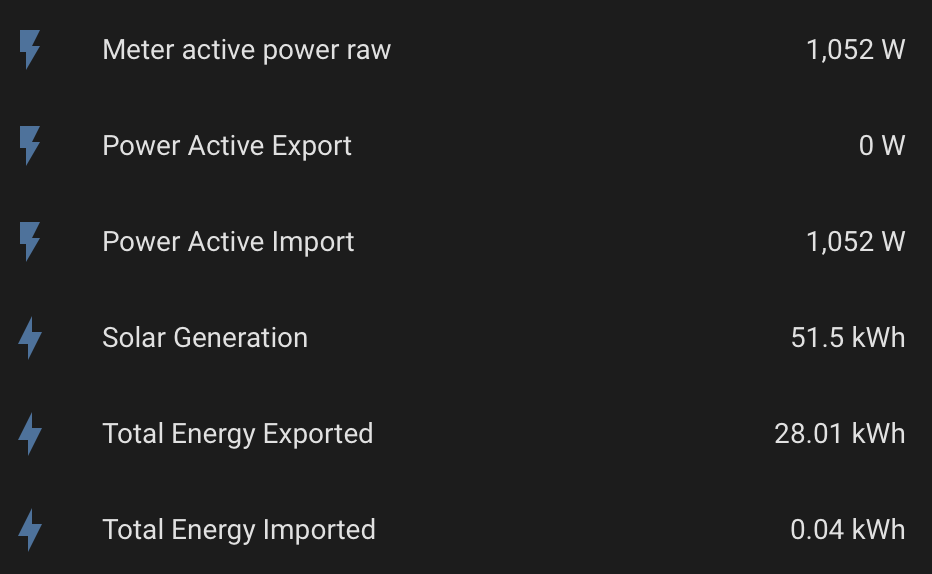
… and an import power value in W and integrated kWh energy values while importing:
These slot nicely into the dashboard I demonstrated last night, which was nothing more than the Home Assistant defaults.
Hope that’s helpful for others. There is hope for those of us who are stuck using Modbus over the WiNet-S and can’t get a cable run out to the inverter!
Yes give my thanks to Steve and thanks too, to you and the @techman for your talks on Tuesday night.
It was impressive to Steve’s full setup in action with home assistant monitoring solar, batteries, EV charger and feed in at commercial rates with Amber … impressive and a little terrifying.
Do you know if Steve had to hack around in the modbus to get all his parameters into HA or did it “just work”.
Did you already have an S100 with your system or did you have to add that in yourself?
On a separate matter, I have installed Forecast.Solar. I was a little confused by the setup until I read the docs. I have configured mine as 6.5kw for the solar, 5kw for the inverter, panel (roof) declination at 15 degrees (I have a fairly flat roof). My guesstimate for the azimuth is 40 degrees.
I presume most homelabbers use the free version and don’t bother to get an API key.
The S-100 was included for me. I already had a Wattson unit in place, and some rudimentary data feeds I set up in 2014 which were logging into RRDTool and PVOutput from the old (and now totally dead) solar setup. Before that, I was using a Current Cost Envi with a USB cable and a [very janky] Perl script to log data onto a Raspberry Pi 2 B+. Both setups were functional from a monitoring perspective, but I hadn’t tried to tie in either prior setup into Home Assistant. I really only got into HA in the middle of last year - a few months before the solar was replaced.
I was quite happy to rework the existing monitoring setups somehow, but the S-100 was included in the package and switchboard space was at a premium, so all the other leftovers were removed. I put no thought or research into the S-100, but once it was in (and the other gear was gone after a switchboard rewiring), my attention quickly turned into somehow getting data out of the S-100  .
.
I’ve not bothered with the API key for the Forecast.Solar and I’m not relying too heavily on the solar production forecasts at all. I don’t know if and how it’ll eventually work into any broader automation workflows for me, but it’s more of a “do I run the dishwasher today or wait until tomorrow” vibe based on the two days of data available.
I believe it “just worked”, but next time I see him I’ll ask the question. I suspect that particular GitHub’s code “just works” a lot of the time, and my inverter, the setup of my WiNet-S, and the S-100 was a bit of an edge case compared to the norm.
Edit 13/12: I’ve asked and yep, “just worked”, using the WiNet-S adapter too. I wonder whether hybrid inverters expose more registers over the WiNet-S by default than the non-hybrid inverters do, or whether I just got particularly unlucky with my combination of equipment. There’s definitely some inconsistency when using the wireless adapter according to the documentation in that GitHub project.
Hi all.
Regarding the mkasier integration. It kind of just worked out of the box. Being a complete noob with home assistant I had some troubles with ‘copy this into configuration.yaml’ - which led to ‘what is a studio code server’ and the penny finally dropped with ‘oh look, add ons for home assistant’.
So with that as my background knowledge I reckon you should be just fine. For reference I have a Sungrow SH10RS. I’m pretty sure I have 3 strings and only two are displayed in HA as individual MPPT’s. I’m not worried as the total values are displayed correctly (or at least line up with iSolarcloud data).
I’m more than happy to field questions on the Energy management systems that you can input through the mkasier integration as the documentation on that I found to be, well not available. As well as any questions you might have.
Yeah, that’s a unique challenge for all of us, depending on how we’ve installed home assistant. I have been doing a complicated thing using k9s to connect into my k3s cluster, but i think i saw @Belfry use an editor built in to the home assistant UI. I’d say you’ve leapt straight over “padawan” to “master” if you’re using VCode Server. That’s still on my list of things to play with one day.
I’ve also often wondered if we’d ever latch onto a subject that enough of us were interested in enough to book an “out of cycle” online meetup to discuss that subject in more depth. Our monthly Jitsi calls are informative, inspiring, and a fun social engagement, but we always try to keep the subjects broad enough to not repel or exclude people.
I’m hoping that later in 2026 when i’ve finally got my own Sungrow setup we can have a more in depth Jitsi call to get into some more detail. Anybody else interested in that?
Thanks for this @Ceasar909 and thanks too for the other night.
As we have discussed there are some horror stories with amber but this youtube from LifeOfRyan is quite positive. Ryan seems to have his energy usage under control but it appears to be a fairly manual process. I note there is n8n integration with home assistant and that seemed like a great solution although potentially somewhat complicated to setup. I would be interested to hear if anyone has gone down that route.
I also noted that varous commenters have highlighted the restricted capacity of some inverters to feed energy into the grid and that short windows of peak demand may be missed or that too little energy is exported in those profitable windows. Have you experienced any of that?
Hi Zeeclor,
I’ve only been with Amber and had battery’s since the end of October, and home assistance for 2 weeks before that. So everything is still very new. I haven’t heard of n8n so can’t comment. To be honest only mkasier come up in my searches, and someone who used it as a base and built complex price assessment code on top (I didn’t go that route, cant recall the name).
Experience with the Amber app. It wouldn’t export all the time when I thought it should, was slow to respond when I manually controlled the inverter, sucked too much power out of the battery so I was empty by 0330 and was somewhat slow to respond during their automation called SmartShift. I was however still within the “30days AI learning period” but already thought I could do better and so far I have whilst still fine tuning the automatons.
Experience with peak demands. Nothing yet after 60 days. My inverter can pull and push at the rate of 10Kwh which is ample for me. Amber does everything in 5min intervals so I guess my max push during a 5min spike window would be about 800watts, depending on my house usage. (please forgive me for mixing and matching units). I wouldn’t really want to melt anything by going faster. The Amber integration does have a price spike warning / notification entity.
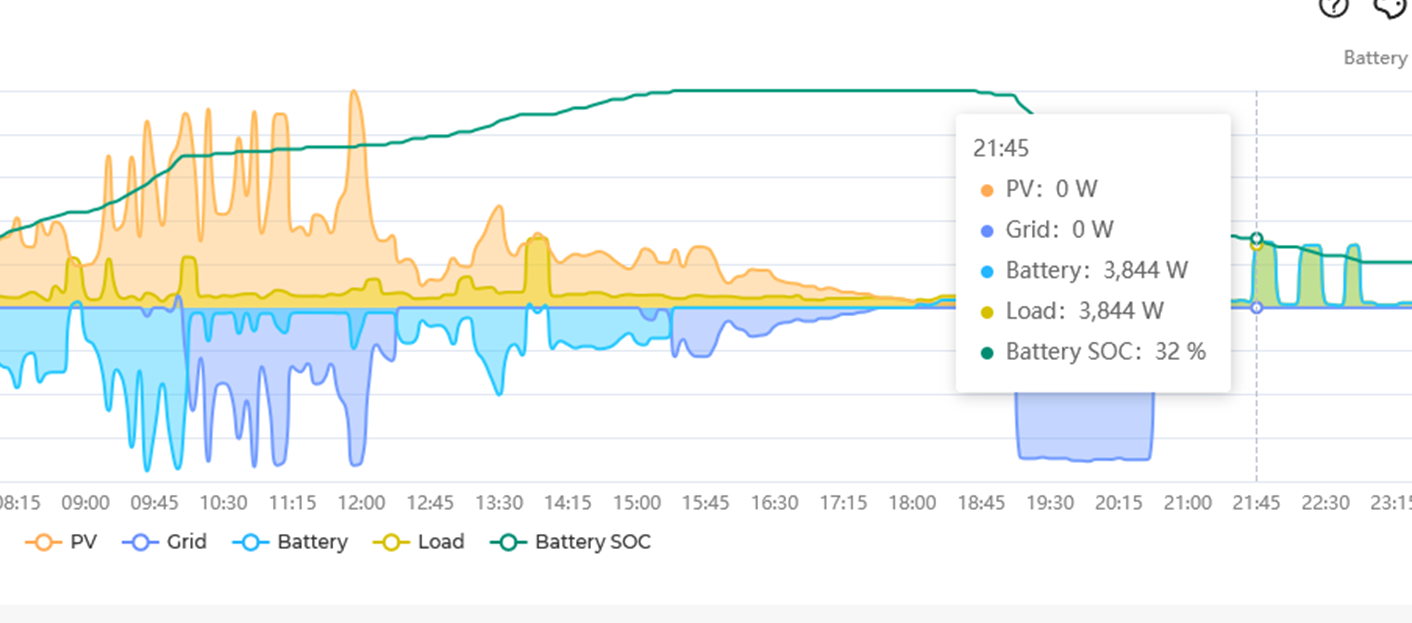
My general experience. So far the price in Summer is easy. Negative FiT during the day, averaging about $0.15 FiT at 1900. Charge the battery and car during the day, aircon etc. Cook dinner watch TV off battery charge and then force discharge to get some $$ while preserving an appropriate % of battery to get through the night. Some days the FiT has been positive but low all day. Some nights the FiT has jumped up. But nothing dramatic as yet.
I would like to be able to get $1.50 a day in FiT. I’ve got that over the last 4 days, but not over the last 30. Still fine tuning stuff. That would almost cover the cost of daily connection fees and amber monthly fee. That would leave the actual rate of return for battery payoff from having no electricity and petrol bills for the next 10 years. (That just sounds so gosh darn attractive!) I didn’t get the system to try to make fist-fulls of cash with Amber, but I’ll give it a shot anyway.
If I do hit a price spike, for sure I’ll update here.
Specs 10kw inverter, 24kwh battery stack. 10kw of panels
I hope I have rambled enough to answer your question
Thanks @Ceasar909 that’s great. I’ll probably have some more questions in the new year.
On a separate but related matter I think you went with a Kia EV. I don’t know if that predates your solar installation and if so by how much.
I don’t drive many kilometres these days but if I were to get an EV, BYD seems very competitive on price.
Would Kia still be your first choice and what do you think of the alternatives?
Hi Zeeclor.
TL:DR Kia EV6 is fantastic, we are 18months in and have absolutely no regrets. It fits us well.
Just a touch of background. We are a single car family, somewhere around 15-18,000kms. The old corolla had been driven into the ground at 497,000kms. We had 5kw of solar, but the car predates the battery and size upgrade.
Considerations. We wanted something that would last a long time, fit 2 pre-teen boys growing into adults, had buttons and knobs, robust and reliable. Price was a consideration, but not at the top of the list. Bells and whistles were not on the list (self driving, watching movies) I had a list of appox 40 models that we checked out.
Multiple weeks of getting into and out of, opening doors and trunks at dealerships in the local area. Crossed off all but Kia EV6 and Kia Nero. I couldn’t sit up straight in the back seats BYD, not enough headroom. The MG’s had no headrest in middle rear seat and boot opening handle felt fragile. Polestar and Tesla design philosophy was not buttons and knobs. VW and Volvo didnt spark with us. The one car I really wanted to try was Skoda Enyaq wagon. But not released in Aus at the time.
So we went with base model EV6. Didn’t want heated seats, powered tailgate or HUD and not willing to pay for extra horse power and fancy wheel arches.
But it was a journey, everyone has different requirements and price points. We are fleecing it (Dave Ramsey) through Novation but it works for us with the fringe benefits tax stuff. Did I say many weekends of in and out of dealerships and the occasional mall where they had static displays. All up, we were in no hurry about 9-12 months considering options and waiting/hoping for Skoda.
Final note. 2024 EV6, the driver “aids” are non intrusive and easy to turn off. No camera watching me. Hold one button after startup and no “You stepped 1/16th of an inch onto white paint. MAYDAY MAYDAY” reactions.
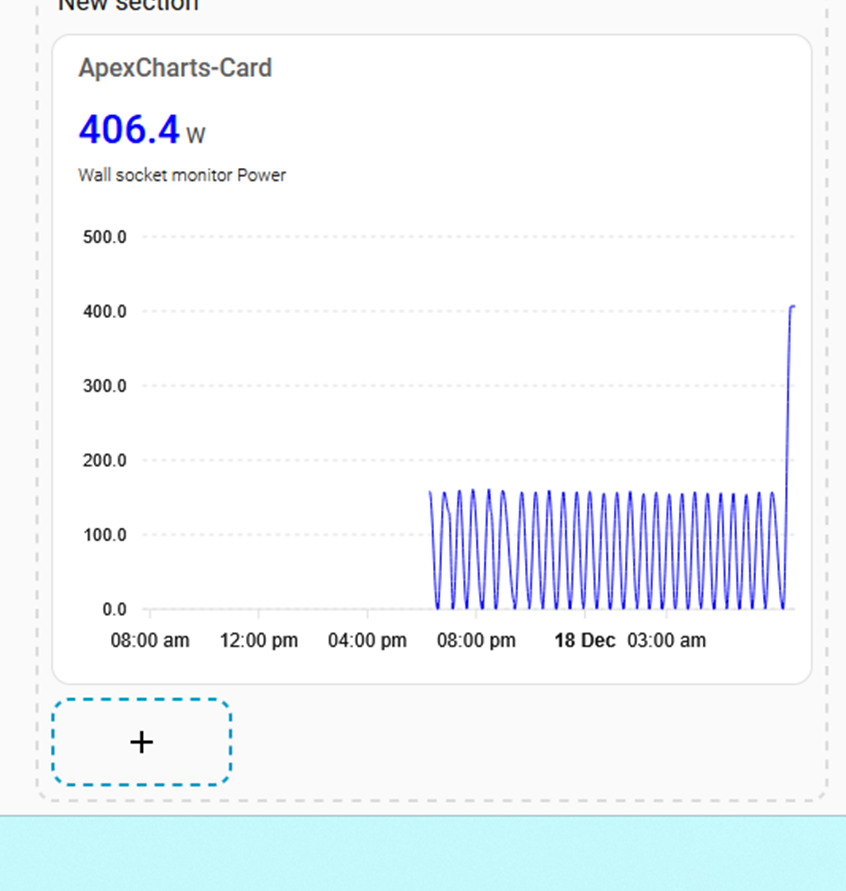
@Belfry Hi. Thanks for introducing me to HA and to HLB. I have now started down a rabbit hole towards power optimisation in the house. The wife is calling me addicted but says “at least it’s better than playing computer games” HA!
Since I’ve started getting better information, every night these little power spikes have been happening and its time to track them down. With your suggestion of the smart power meter plugs I can now go on a wild goose chase.
Night one. It’s not the fridge. Phew. 
It’s addictive once one starts to get a few sensors and automations working  .
.
What are you using to monitor appliance power consumption? I’m experimenting with a few different sensors at the moment (Tuya and ESPHome based), and I believe @zeeclor uses some Tapo ones (please correct me if I’m wrong)?
Bunnings was sold out of the cheap Grid Connect smart plugs, so I had to get the 30$ one with a humidity sensor. I’m using the Tuya app, then integrated into HA. I didn’t want to faff about trying to get it local network only. As awesome as your usage tracking is, I have a much smaller, specific goal. Find and remove the spike at 2200.
Ah yes, they’re excellent. I picked one of those up back in Feb and dropped some info into the Home Assistant Compatible Goodies thread. It’s been solid (Running 24/7 sitting in front of my UPS), but is on my list of devices to try and convert over to ESPHome at some stage. It’s not explicitly mentioned in the AU Devices list, but there’s a fair bit of Arlec in there so I’ll give it a go once I’ve converted a few other devices over and got the hang of it.
I picked up some Athom branded ESPHome sensors last week and they arrived this morning. The one I’ve put into service today to be working very well, and I like that it’s not tied to a cloud service. My NBN was off for most of the day (routine maintenance) and of course it was the only sensor feeding data during the outage. I’ll put some more info into the “goodies” thread once I’ve had time to have more of a play.
Just a query.
What do homelabbers do when their solar system is upgraded. Do they hang on to any of the old solar panels for “test purposes”?
My solar panels remained on the roof. Added another 2 strings in East / West direction to go with the ‘old’ North string. The old inverter was sold. I only know enough about electricity that mains power will kill me, no touchy!
It briefly crossed my mind, but I promptly decided against it. Every one of my former panels was completely ruined, or would no doubt be wrecked in a short period of time. They weren’t well made to begin with, and the Brisbane coastal air no doubt didn’t help. Most were horrifically corroded when they finally stopped working, and were even worse six years later when they were replaced.
I decided not to try and find the one or two potentially salvageable ones due to the “no touchy” factor, the likelihood that it’d just be another thing to sit here and be a half finished project that I’d probably have to pay someone else to dispose of one day, and the realisation that if I really wanted one at some stage in the future there’s probably one nearby on Gumtree or Marketplace for $20.
@Ceasar909 a few more questions, sorry.
Did you get a Sungrow EV charger and if so does it integrate well with home assistant and amber?
Also which model did you get (I presume it was AC and not DC charger)?
No need to be sorry. That’s what this group is here for.
I went with the Myenergi Zappi charger single phase AC. The sungrow battery could stack with a charger that mounts onto it but it was too far away. The installer also offered an EVNEX. The Zappi has a HACS integration and works like a charm, so much easier than the Mkaiser add your own .yaml code.
My usual charge mode is ECO+ with minimum 50% green. It will only use excess solar to charge, but if some clouds cover the panels it will drop to 0.7kwh from grid and 0.7kwh from solar until it can ramp back up to solar only. Generally 7-8kwh.
https://support.myenergi.com/hc/en-gb/articles/360020720298-What-are-the-zappi-charging-modes