On a never ending quest to find the ultimate solution in self hosting software for specific areas, I have been trying different note taking apps to store all my projects, work notes, interesting finds and todo lists. I find there are just too many things for me to track alone in my head. Having one place on all my devices I use to record any and all notes in a structured way is essential for me.
I have tried Obsidian and Trilium so far. Obsidian is great, but syncing with mobile is a pain. I never enjoyed using trilium, it just feels a bit outdated for me. Others I am yet to try is AppFlowy and NotesNook.
The latest migration was to Joplin. I am quite happy with the move from Obsidian, for some the downside is files are not stored in a directory but a DB. For myself, moving from Obsidian to Joplin solved synchronising between Windows, Linux and my phone. You install the application on your machine and edit through the UI. All while a docker container is used for the Joplin Server. This has been working perfectly between all my devices, with the ability to edit as markdown natively or switch to their “rich text” editor which create a more UI friendly way of editing markdown files. I find myself switching between the ediotrs depending on my use case.
Joplin also has its own Plugins which I am yet to try, but there were a number of them that looked handy.
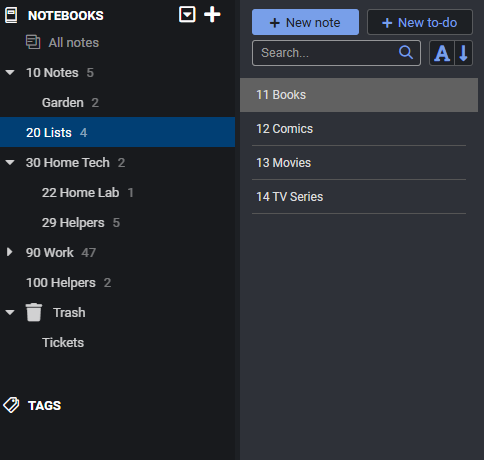
My current file structure is below, numbered so it keeps them in an order i like by text, as you can change the ordering, for example by date created. I typically have a “Helpers” tab, for any information that is generally helpful in the area it is located. Like common commands in Linux i can forget. I’ll be adding an “Investigate” tab, which will be for storing interesting information and links for me to look into.
Anyone that is interested in creating their own Joplin server, here is the docker compose file I used. Will just need to add a .env file with your variables.
I would love to hear what others use for their day to day note taking, the devices they synchronise between & how. Sharing how you structure your notes is extremely helpful too, as I have taken bits and pieces from other structures to create my own.
NOTE: Thought it was cool that Joplin also has their own discourse site
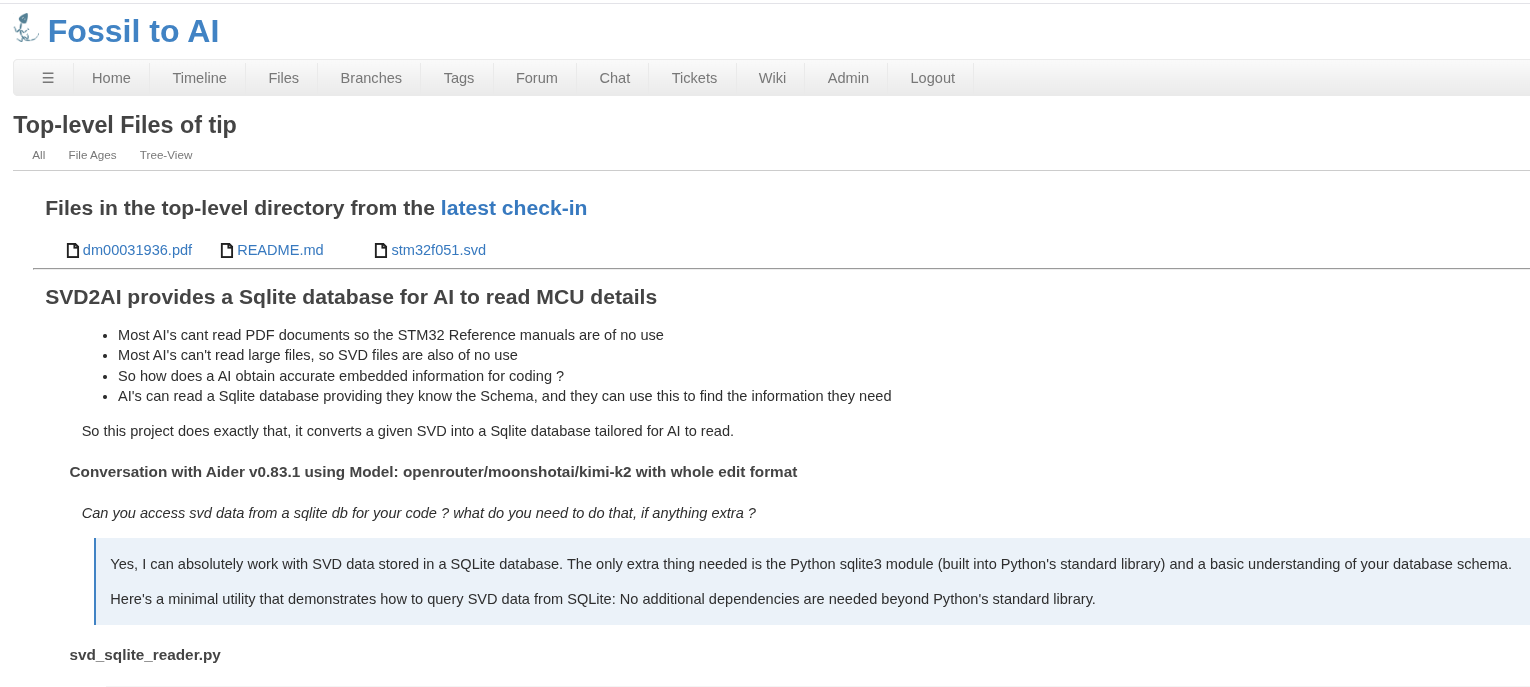
These days I use Fossil SCM for notes, projects and everything. It’s a database with inbuilt Markdown for notes in its Wiki, trouble tickets for problems, and version control for everything.
All in a single file for each repo that can be read by Fossil or any Sqlite reader.
Sure do, I’m up to about 300 Fossil Repos these days
And because each Repo is a single self contained file, backup are very simple, just rsync them all to a flash drive etc.
Lets say you have made a heap of markdown docs about the red-nosed burrowing field-mouse and they’re all in a Fossil Repo ?
Of course you use a cool editor like the Helix editor and have configured the Marksman LSP for it.
Marksman is a language server designed to enhance the writing and maintenance of Markdown documents by integrating with editors that support the Language Server Protocol (LSP
It provides features such as syntax completion, diagnostics, go-to-definition, finding references, and renaming refactoring, which help improve productivity and document accuracy.
A key feature is its support for wiki-link-style references (e.g., [[note]]), enabling Zettelkasten-like note-taking and facilitating the creation of interconnected knowledge bases.
Marksman is compatible with a wide range of editors, including VSCode, Neovim, Vim, Emacs, Helix, Kakoune, Sublime Text, BBEdit, and Zed, with installation often simplified through package managers like Mason or Snap.
Now you think you’d like to share all these years of notes and pics with the world, so what do you do ?
Just put that Fossil repo on a Fossil server somewhere the the free Chiselapp server comes to mind. After you create a free Fossil repo and have the password, you just push the contents of your own Fossil repo to it. Now it’s all on line and you only have to share the URL.
Fossil renders Markdown into HTML like everyone else, so this is actually a web server.
If you are interested, i made this script I can easily reference a shared env file across all my docker instances by running “compose” or “compose down” in the docker compose directory.
#!/usr/bin/env bash


# ===============================================
# Script Notes
# ===============================================
### Usage: Will start the docker compose with the env file
# compose
### Usage: Will stop the docker compose (which also must reference the end file)
# compose down


# ===============================================
# Configuration
# ===============================================
# (Do Not Edit) - Directory where the command is run
CALL_DIR="$(pwd)"

# Hard-coded .env path used to build docker image
ENV_FILE="/valinor/docker/.env"

# Compose file in the current directory. Update if needed
COMPOSE_FILE="$CALL_DIR/docker-compose.yaml"


# ===============================================
# Script
# ===============================================
set -euo pipefail

if [[ ! -f "$COMPOSE_FILE" ]]; then
    echo "Error: docker-compose.yaml not found in $CALL_DIR"
    exit 1
fi

if [[ ! -f "$ENV_FILE" ]]; then
    echo "Error: .env not found at $ENV_FILE"
    exit 1
fi

ACTION="up -d"
if [[ "${1:-}" == "down" ]]; then
    ACTION="down"
fi

DOCKER_CMD="docker compose --env-file \"$ENV_FILE\" -f \"$COMPOSE_FILE\" $ACTION"

# Added echo so the command being run is visible if any issues arise.
echo "$DOCKER_CMD"
eval "$DOCKER_CMD"