Hi all,
A lot of the group have been (quite rightly) excited about EVs and all their benefits, but this particular household is still in the land of liquid exploding dinosaurs and probably will be for a little while yet.
The below is a small What I’ve Been Working On (WIBWO) post (thank you @zeeclor for the acronym) which I hope is of interest, even to the EV drivers. This all came together over the course of a couple of rainy days over the last few weeks and seems to be working (albeit still slightly janky in places, particularly Part B).
My current fuel management “system” for the petrol cars is essentially either:
- I want coffee. I’ll stop here.
- Ah, crud. How long that has that light been on!?
I’ve never tracked prices/cycles/used any fuel apps/bothered with points or 4c/L discounts, and so on. I probably should have been doing that, but it’s just not something that ever worked for me, so I’ve put together the below dashboard to gently nudge myself to some fuel savings.
- Part A is collecting fuel price data
- Part B is collecting fuel use data
- Part C is bringing it together.
Part A: Fuel Price Data
Queensland’s Fuel Price Reporting Scheme commenced in 2018, and is the basis of most (all?) the fuel price tracking apps and websites available (e.g., RACQ’s Queensland Fuel Prices). Retailers must report price changes within 30 minutes of the change.
I registered as a Data Consumer with the fuel price reporting scheme to get access to the live API. I won’t go into huge amounts of detail here, but it gives access to the whole state’s live price data, across multiple fuel types. The documentation goes into all the nitty gritty. I’ve hardcoded the site IDs and fuel types I use, and pull that data via a cron job running on a Cloudflare Worker, every 3 hours between 4am and 10pm. This pulls only the fuel type I use, from the petrol stations convenient to me or that I usually stop at for coffee, and if that price has changed since the last check, it writes the value into a Cloudflare D1 database. The actual reads/writes and API queries are next to nothing (especially when compared to what the big players must be doing, e.g., RACQ). I seeded the D1 database with the May 2026 prices available on the Queensland Open Data Portal (Link) for the fuel type I use, at the sites I frequently drive past. It’s <200 rows total for 30 days of rolling data. A cron job runs daily and trims anything older than 30 days.
A second Cloudflare Worker runs on request and returns data in JSON format with the current price for each location, the 30 day average, and whether this is cheap (lower 25% of pricing history), average (middle 50% - 25% either side of the mean), or expensive (upper 25% of pricing history). More on this worker in Part C.
A bit of YAML has been pulling this JSON data into Home Assistant as a set of sensors (for each location) and I’ve built a crude dashboard around it. The initial version of the dashboard was just showing the price data, but I’ve fleshed it out more now (covered in Part C).
Part B: Fuel Use Data
(Disclaimer: I am not a ‘car person’. Please correct me if I’ve made an error with the below, and also if you build something like this and you break something or if your airbags don’t go off, that’s on you).
A lot of the group have modern petrol cars or EVs. The cars here are old enough to have cars of their own, so I don’t have access to any sort of apps or anything beyond “write the odometer down and keep an eye on the fuel gauge”. However, cars manufactured since 1996 have a standard On Board Diagnostic port, and I was pondering if there were a way to access some telemetry via that port. I’ve seen some mates use that port before for various car work, and didn’t have much knowledge other than “it’s very inconsistent, especially anything pre-2010-ish, and anything involving the ultra cheap adapters”. Therefore, the obvious sensible next step was to buy an ultra cheap adapter and connect it to a very early OBD-II capable car and expect it to work as expected  .
.
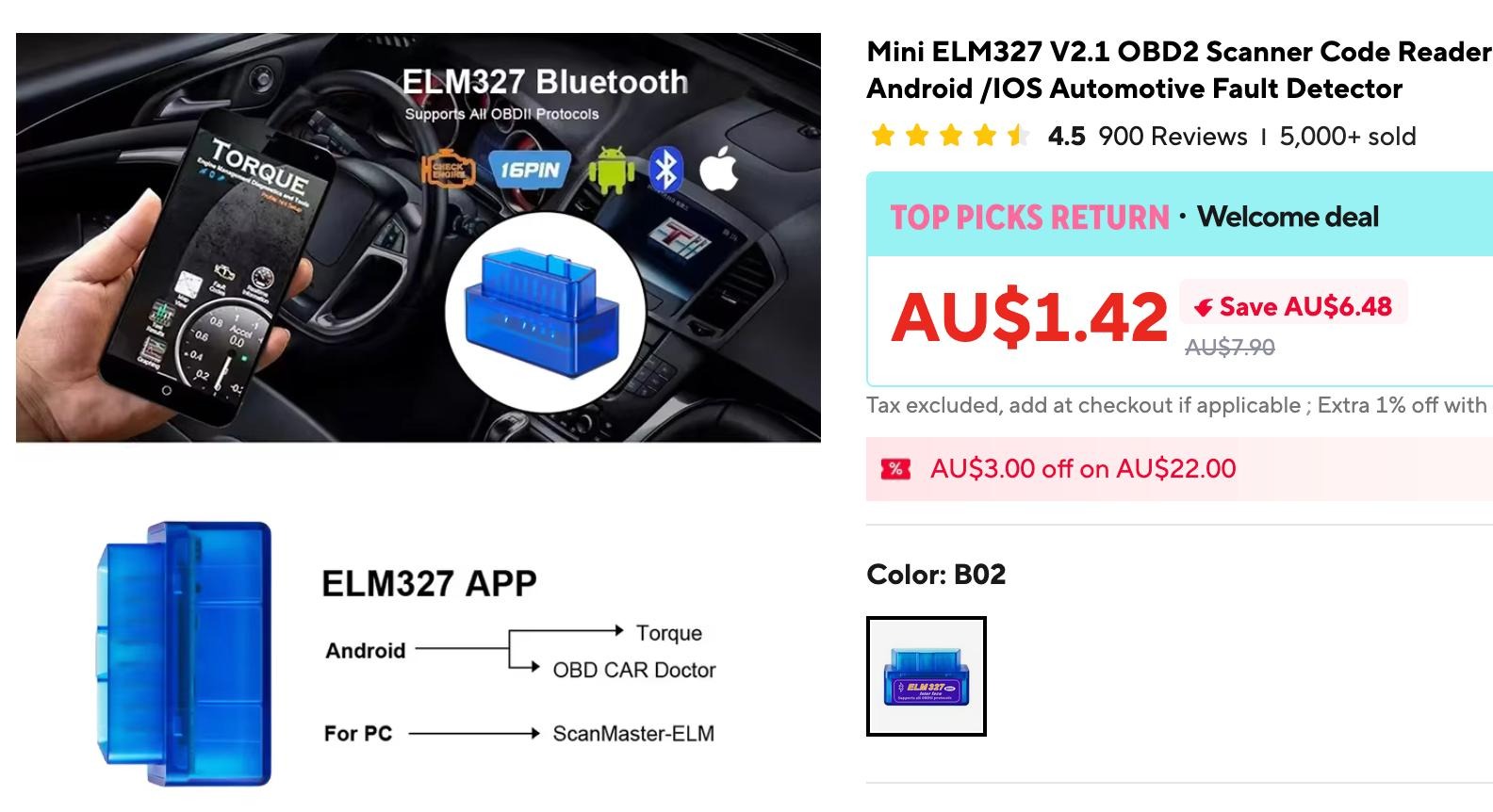
These generic ELM327 clones are all over the web, and have been for several years. Some seem to have Bluetooth, some BLE, some WiFi, some are iOS only or Android only, and they seem to be various hardware designs as well.
There are several variants, but one of them caught my eye - advertised as “two-board variant”. I suspected that the bottom board was the ELM327, the top board was a generic Bluetooth module, and there was probably TTL UART and 3.3V through that connector in the middle. The plan was to connect it to one of the Xiao sized ESP32 boards (either a C3 or S3) and pull that data myself (more on that in a minute).
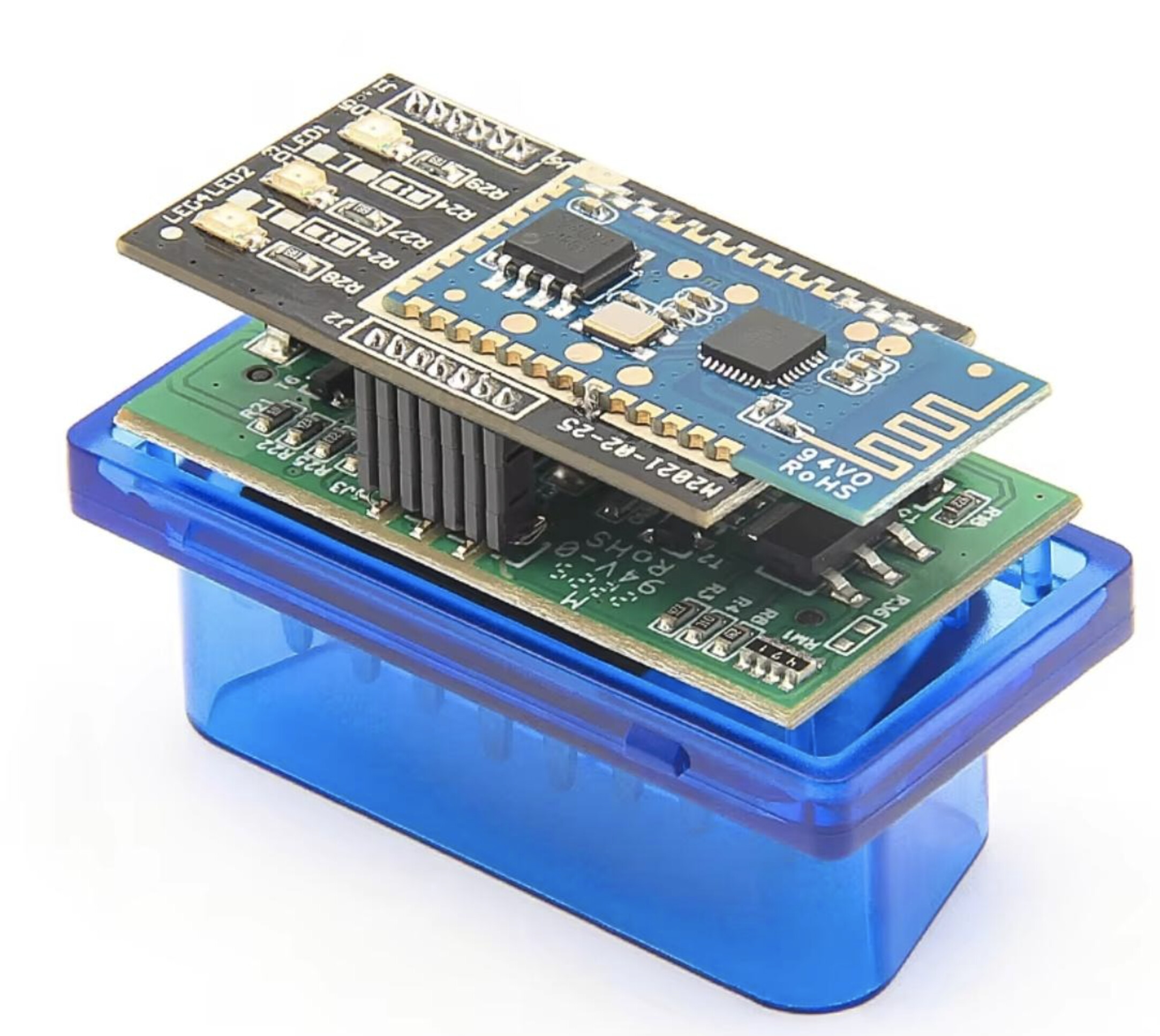
Unfortunately, mine turned up early last week, and was a very integrated single board inside.
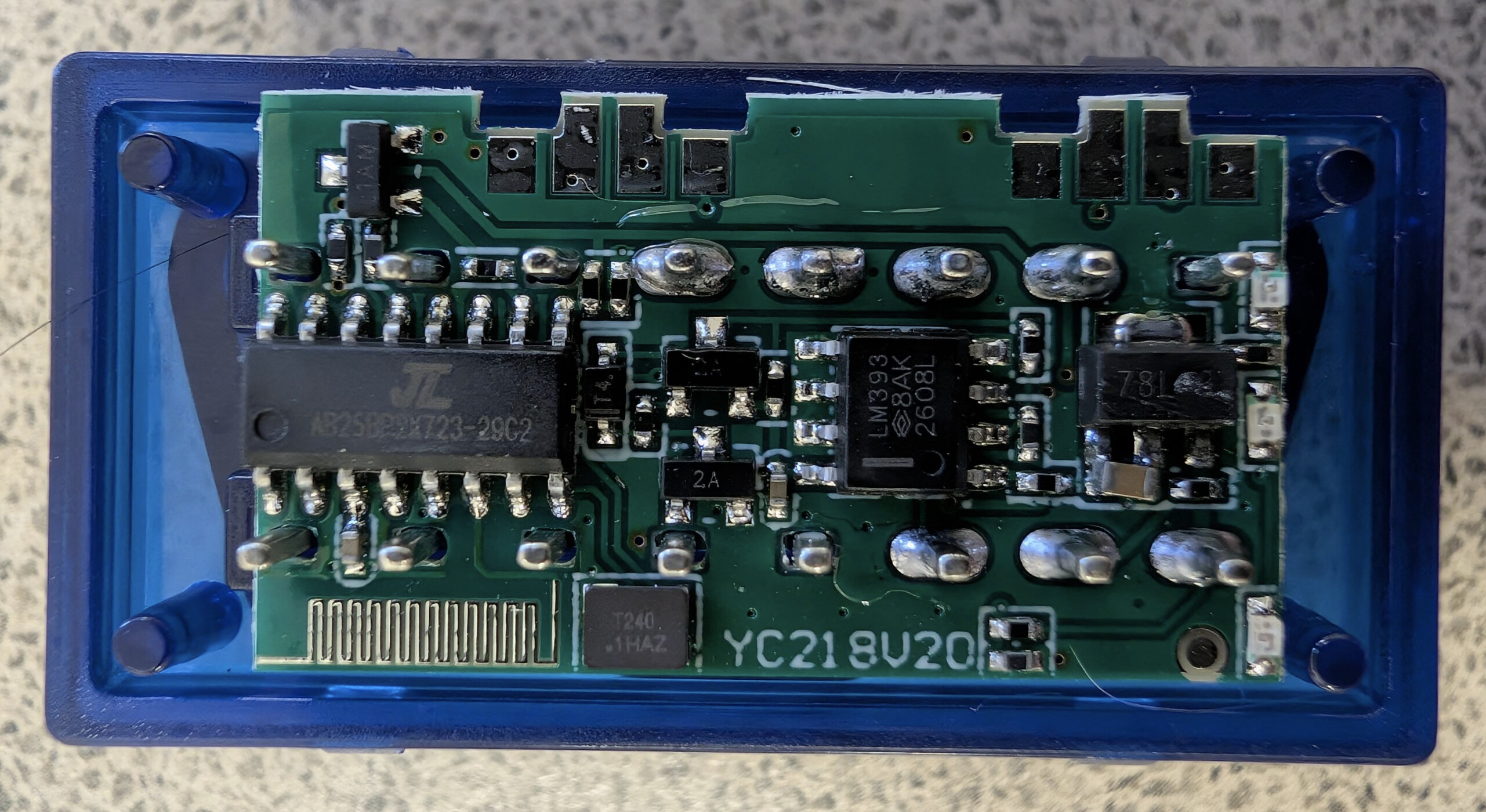
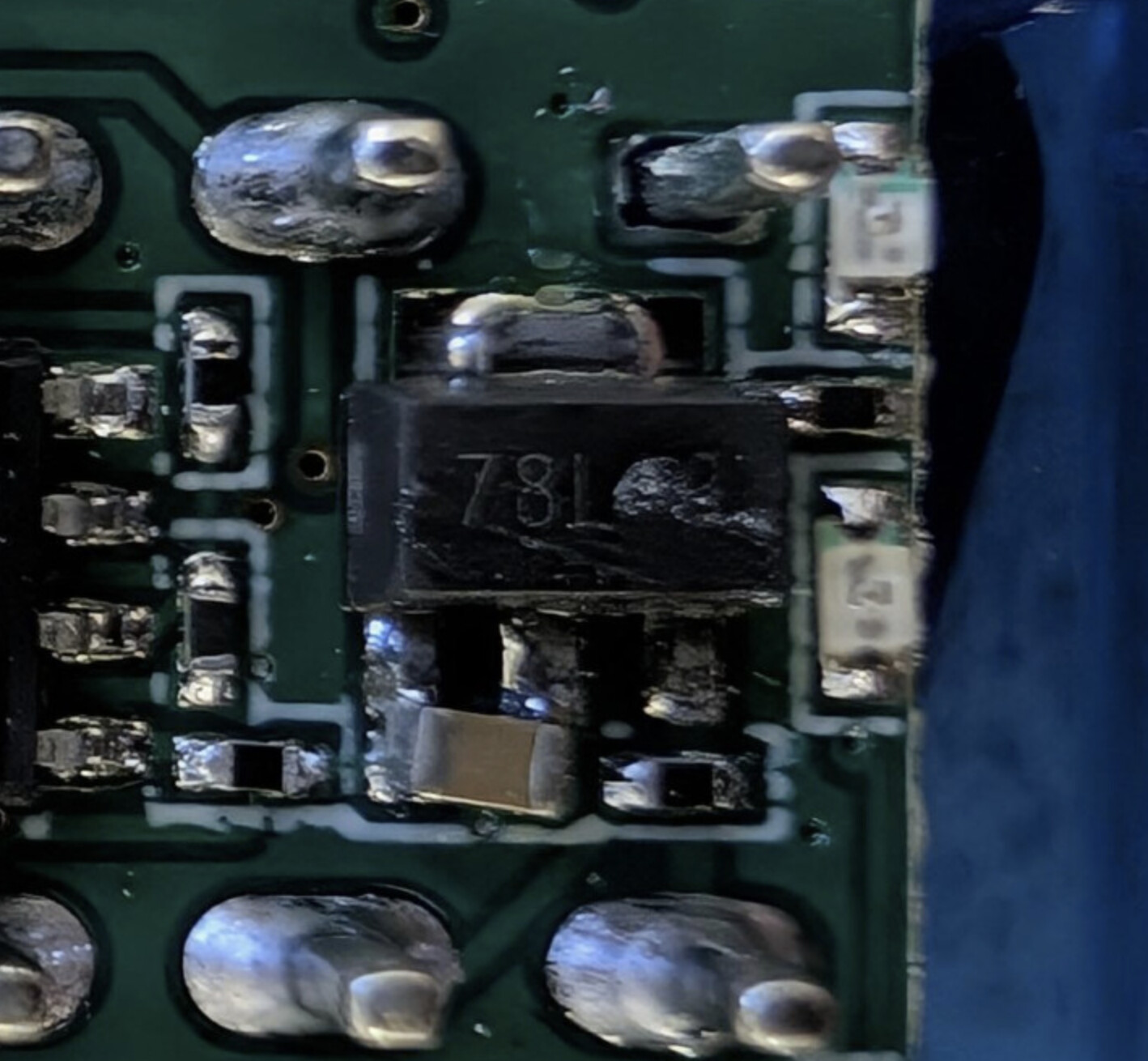
I couldn’t find anything whatsoever on the chip on the left, and I assume it’s some sort of custom chip integrating an ELM327 and Bluetooth. D’oh. No connector, and no real way to lift pins or directly tap into the TTL UART either. This necessitated the first of several pivots, but the Xiao ESP32 is still workable.
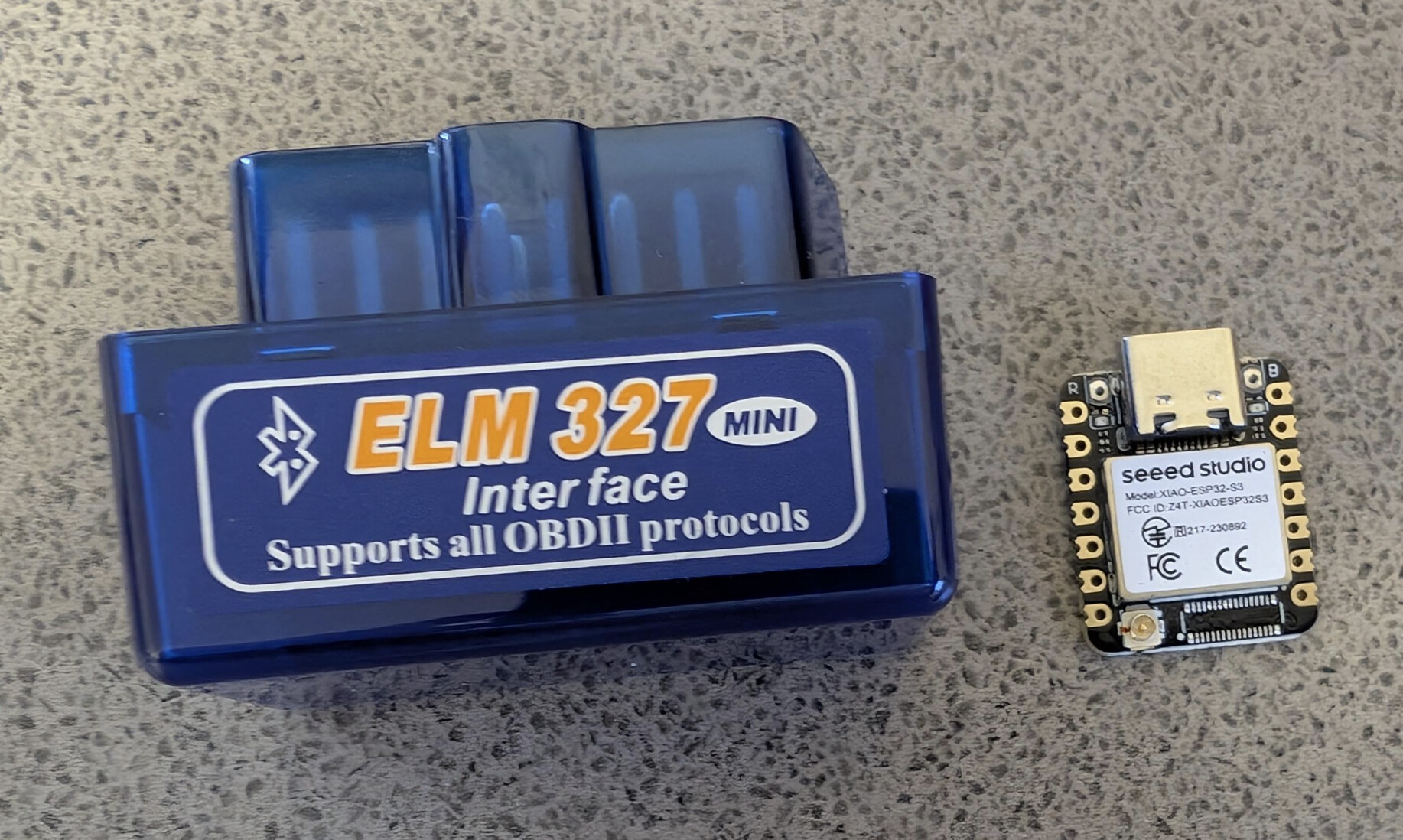
The Xiaos are really really tiny (21mmx17.5mm). Given that the construction is a single board, the revised plan is to put the Xiao board and 2.4GHz antenna inside the ample free space in the ELM327 clone’s case (as there’s no second board taking up all that room). Haven’t buttoned it all up yet while I’m still flashing the unit while debugging, but the physical layout is going to work fine.
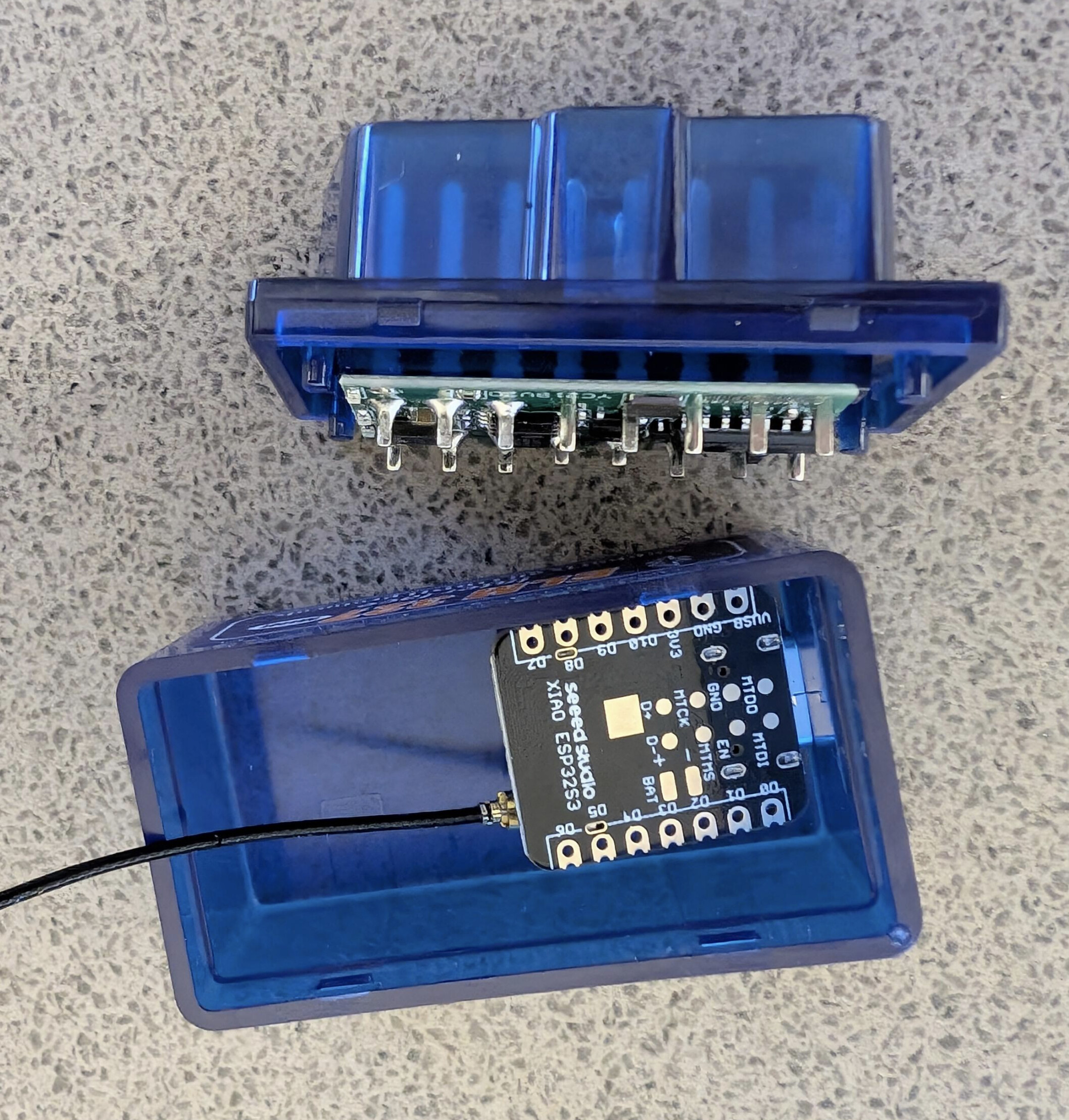
The ESP32S3 pairs to the ELM327 via Bluetooth (rather than a direct connection via TTL UART) and reads data that way instead. I could get that working with a basic Arduino sketch, and some serial data logging out to my MacBook. Unfortunately, a lot of OBD-II’s specifics were left up to the manufacturer, especially in the early days. I was hoping to be able to read 0x2F (fuel tank level) directly, but Car A doesn’t implement this at all. The second pivot was to figure out what was available on my specific car’s specific implementation of OBD-II, and what the generic dongle would cope with as far as polling rates, buffering issues, etc. went. I’ll spare you all the half-day of messing about and doing laps of the block before pulling back into the driveway to review data, recompile, and take off again.
“I’ll read the fuel tank level” gradually morphed into “bah, well, what have I got?” and a discussion with Claude to brainstorm. About the only thing that my car exposes which is of any relevance to the fuel system is the MAF (Mass Air Flow) Sensor parameters. (Sadly, I am intimately familiar with the MAF from a previous car I’ve owned  ). Again, will save the group a lot of detail and skip the next part with a bit of hand waving to go from MAF’s grams per second of air flow → combustion of petrol → integrating flow rate of the petrol over time to get an eventual “fuel consumed” figure. This figure gets saved to the ESP32S3’s flash every 60 seconds, and when the ELM327’s Bluetooth connection is dropped (and fails 2 minutes of retries), it assumes that the engine is off. Engine off is the trigger to try and connect to my home WiFi’s SSID and push the “fuel consumed” figure to a third Cloudflare Worker, or to quietly fail, got into deep sleep, and try again next time the engine is turned off (e.g., I’m parked somewhere and not at home right now).
By tracking a rough figure for fuel consumed, and tracking tank fills, I’ve been able to crudely track the fuel tank level of the car which doesn’t support fuel level via OBD-II.
Part C: The Nudges
Cloudflare Worker #2 was modified to return car fuel level as well as the local petrol prices, and 30 day averages. I added those values to the existing fuel price tracker and fleshed it out into a full fuel dashboard.
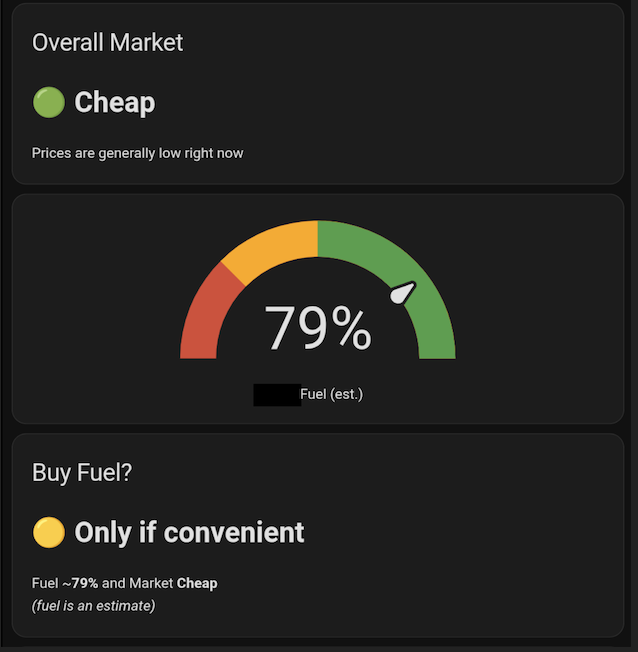
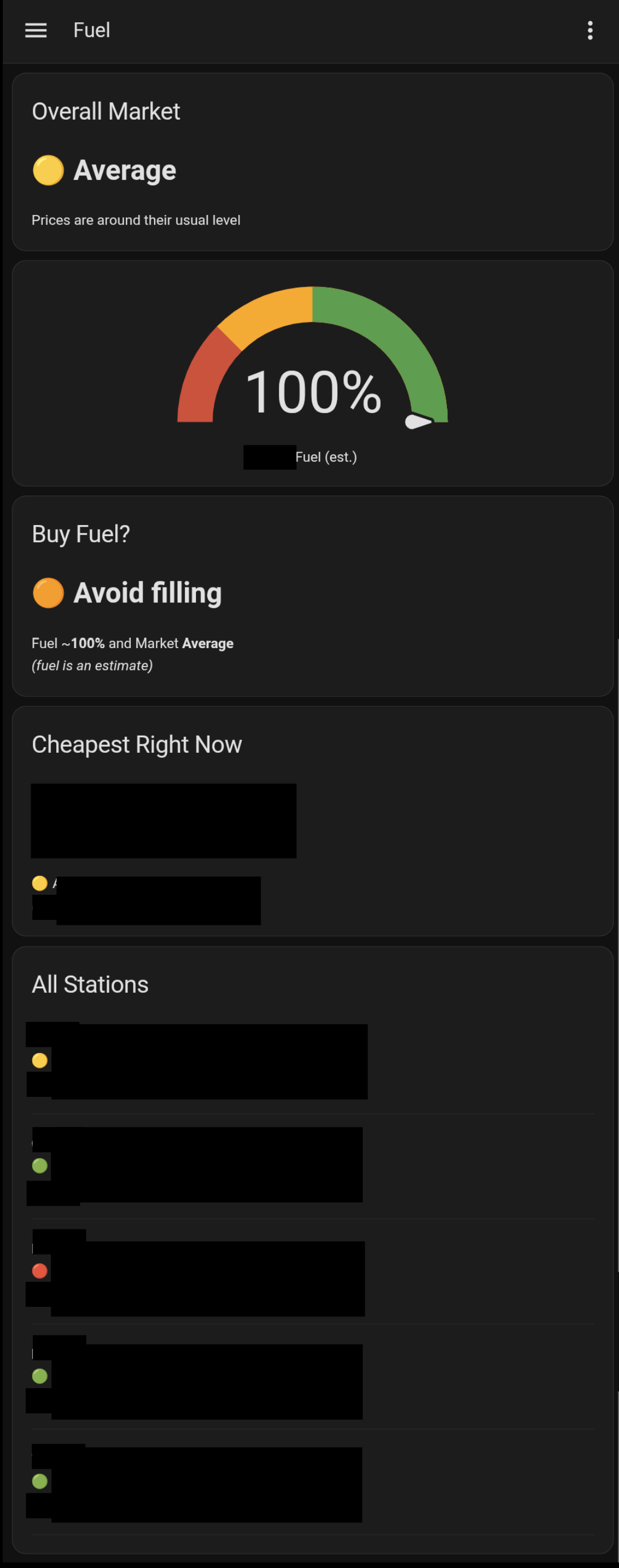
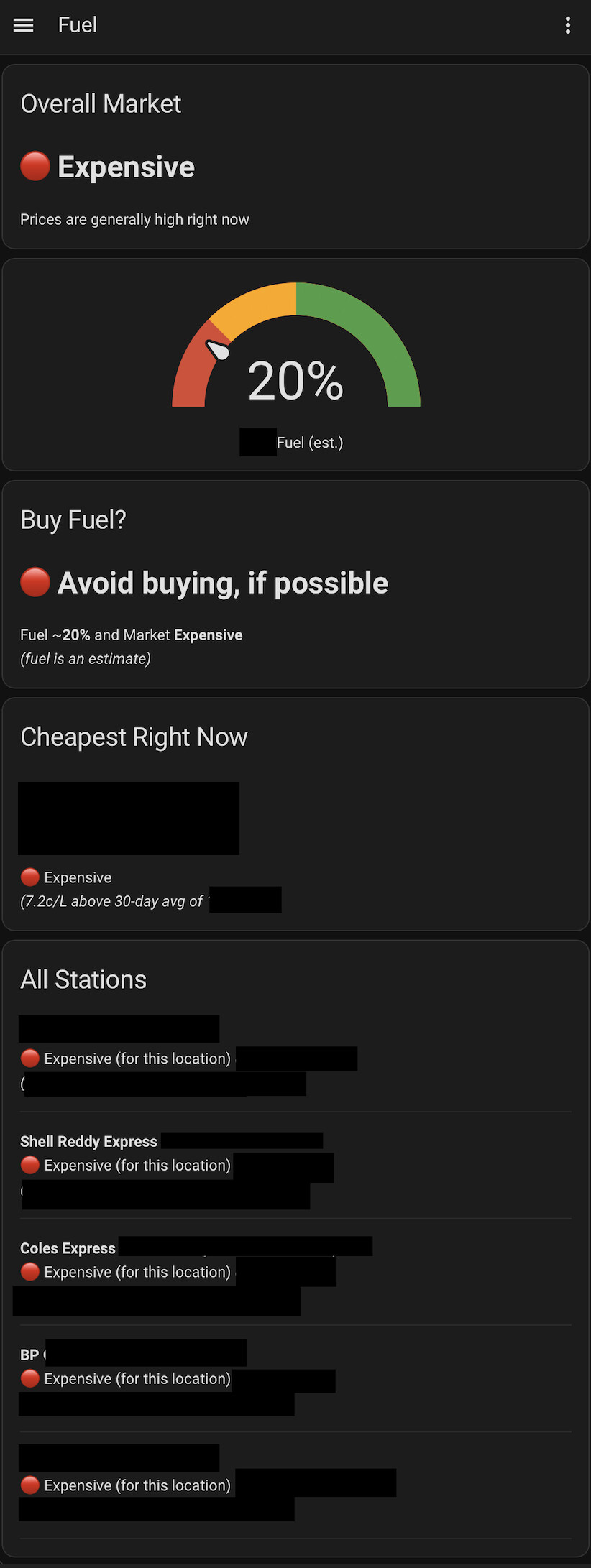
The final dashboard looks like this in the Home Assistant app:
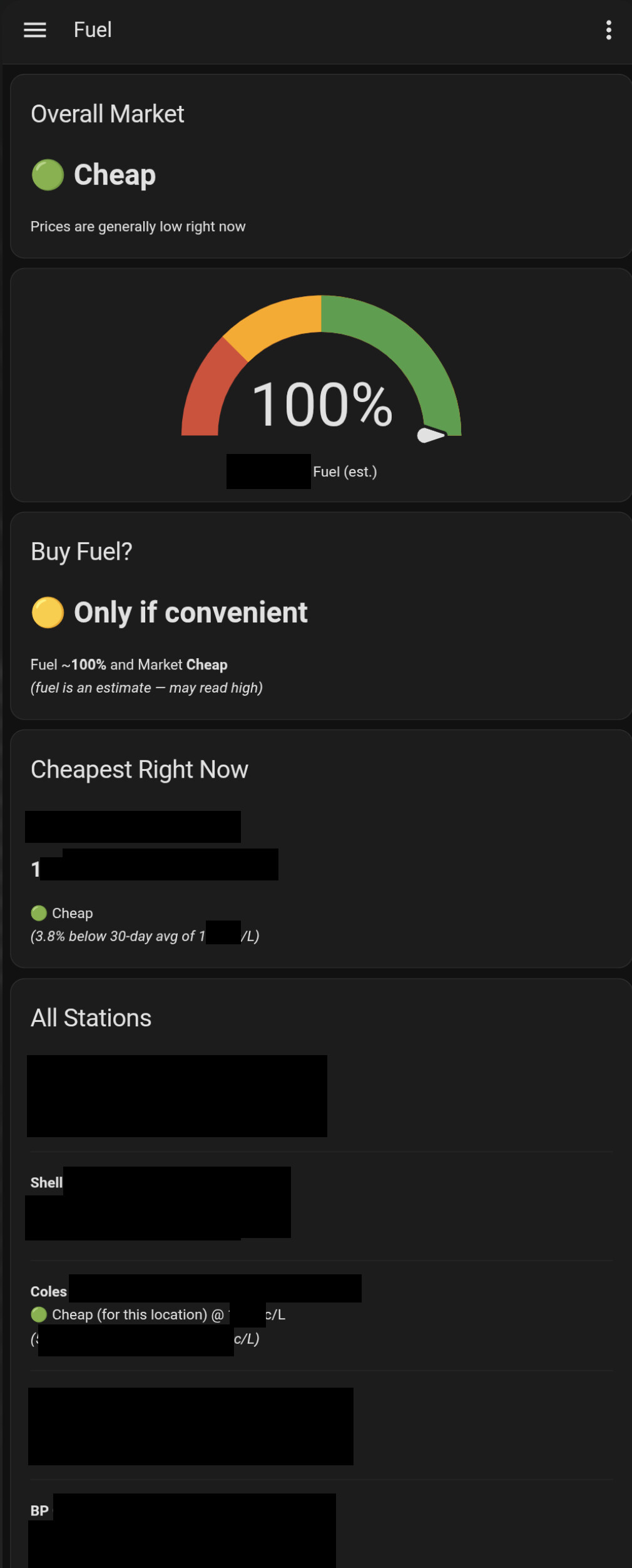
I’ve selectively redacted a lot of the data to hopefully avoid doxxing myself in a very complicated way  , but you get the idea.
The logic is essentially:
- Tank percentage > 50% & Price is “cheap” = fill if convenient
- Percentage =< 50% & price is “cheap” = fill now
- Price is average & percentage is > 50% “Avoid filling”
- Price is average & percentage is =< 50% “Fill if convenient”
- Price is expensive = “Avoid filling, if possible”
Conclusion
The negligible hardware cost has paid for itself already  , and it’s well within the Cloudflare Free Tier limits.
It’s been designed from the start to support multiple cars, and I’ve bought a second ELM327 to get another endpoint going once that arrives and I have time to mess about and see what OBD-II parameters that specific car exposes, and how I can either read the fuel tank level directly, or develop some sort of proxy for it. It’ll be interesting to see if or how the ELM327 differs from the first one’s construction.
I also need to let the MAF fuel tank level proxy run for a few cycles and make sure that’s calibrated reasonably. I don’t need data beyond “half tank” or “quarter tank”, but I also don’t want to be feeding grossly wrong data into the dashboard. It seems to be working so far.
The biggest TODOs for now are that I need some sort of a trigger to say the car has been filled, and I need to keep an eye on the parasitic power draw. I’m currently doing fuel fill recording from my laptop using curl but I do need to get off my bum and put something into Home Assistant to trigger a petrol purchase event. The power draw should be negligible when compared to the rest of the car’s electronics that are still running when the car is off, but I’m yet to collect a lot of data on it to confirm.
I may also tweak the decision making logic (e.g., the percentage =< 50% & price is “cheap” = fill now part) by making it more granular, and potentially setting up a critical level along the lines of <10% and price is average = fill now, or even simply “pop in $20 worth”.
Future ideas are to possibly integrate a Cat-M1 or NB-IoT board into the unit to have realtime telemetry, and/or use one of the dinky little NEO-M8N modules I’m still playing with for GPS/PPS timing to build a physical light into the dashboard for “you are about to drive past the cheapest petrol in Brisbane”.
Still a tonne of debugging to go, but hopefully this is of some interest to the HLB group. Happy to flesh it out into a full talk at some stage, if there’s any interest. Also would love some feedback and ideas from the brains trust if you’ve got any suggestions or critiques!
Cheers!

 .
.
 ) but it was a great opportunity to do a few minor last minute tweaks before departure, and beta test the setup under some real world conditions with a solid mix of highway and suburban driving.