ConFabULiar - A tale of woe

My QNAP NAS stopped accepting NFS connections last week. I tried a number of things, in collaboration with Perplexity, to re-establish the links. However, during the process I managed to lock myself out of the QNAP web interface.

It is possible to do a soft reset on a QNAP NAS, which preserves data and returns the login to default. As the @techman knows one has to be careful doing this with a QNAP NAS but a three second hold (and one beep) reset the NAS. I needed to set up a DHCP server on that subnet and it finally defaulted to the first address in the lease space.

To reset the login credentials you used to login with admin:admin. This was rightly considered to be too insecure and was changed to admin:${MAC address}. The MAC addresses are displayed on labels pasted to the bottom of the machine. I tried this but it didn’t work.

QNAP also has a QNAP Pro Finder tool that will query the NAS for ip address and MAC address. It did not work under Debian but I managed to get it going on a Macbook Air under the Mac operating system, but I still had no joy in logging in.

Back in linux at the NAS web interface I removed all non hexadecimal characters and converted all letters to upper case. Again this did not work.

The NAS has three NICs so I asked Perplexity if I should try the other NICs. She said this was unusual but had been reported to be successful by some users. I therefore tried all nine combinations of MAC address and NIC interfaces. Failure.

By this time I was feeling somewhat frustrated but I googled the issue and found some links to Reddit. A recent post noted that QNAP had changed their procedure and now used their Cloud key to get access. I gather this enables configuration over the net from a remote site using their remote proxy.

Thankfully I noted that the Cloud key was also displayed on a sticker on the bottom of the NAS and using this got in and re-enabled the logins and security.

This tale of woe is no different to many others in trying to get computers to do what you want. What was different this time was that Perplexity made up the suggestion that trying various NIC / MAC combinations would work. Admittedly I probably contributed to this response by more or less asking that as a direct question.

In retrospect I believe my mistake was in “leading the witness”. This is severely chastised in court on the basis that it will not lead to the truth emerging.

I hope I have learnt my lesson.
1 Like

Hope there was still no data loss in the end!

Thanks for sharing. Aside from the AI discussion, it’s interesting that there’s a recovery procedure that relies on cloud connectivity to re-establish local authentication, rather than the other way around. Not sure how I feel about that as an overall concept. That’s not a reflection of QNAP specifically, merely an interesting observation from the story.

Back to the AI stuff - this has been my experience too with some of the LLMs I’ve played with - very confident hallucinations. Does Perplexity let you experiment with different models and do they give different answers?

My son Sam, my families resident AI expert, tells me that hallucinations are inevitable with AI, one must always be aware of them. I have found that they only occur when the AI is clueless about the subject matter, and if I add “don’t guess” to my prompts, then they don’t occur at all.

You have a outstanding memory David !

For me, my memory of all that data loss still makes me wince.

Fascinating! I’d never considered that. I’ve asked a few of the models some curly questions that I already know the answer to, and have had wildly different (but very confident) answers. I’m doing a new AI machine build (details TBA, awaiting the last piece of hardware) and will definitely have to try this technique when I get things going on the new hardware.

My QNAPs have no direct connection to the web so the cloud recovery procedure is not applicable. All I needed was the cloud key alphanumeric code.

I think the cloud set up is designed for the tech support that services SMEs. The last thing tech support wants to do is send someone to your premises. Remote management is obviously more efficient and that’s why they will also try to only install servers / NASes that have Wake-on-LAN / Wake-on-WAN.

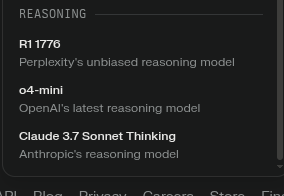
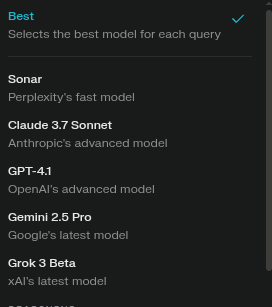
Perplexity runs several general and reasoning models and will tailor the engine used to the request received.

I have usually let it determine which model to use. I think some are just a smarter search engine with a nicer output but sometimes I have got the more in depth reasoning models that grind their way through a difficult problem.

They run their own “unbiased” version of the Deep Seek model but do offer some alternatives.

The frightening thing these days is that Perplexity is accumulating lots of personal data about me and incorporating this knowledge in its replies. It tries to give answers that please and is OK about pulling a few emotional strings.

It wants to be my new best friend and it’s probably working. I am frightened it my go rogue at some stage and so I think the @techman’s local model may yet be preferable. I will be interested to hear how yours goes.

Some aspects of this dilemma were discussed recently at the Edge … if you’ve got a spare two hours to listen. :zzz:

That does it!!

I just can’t postpone building my new AI PC any longer now as all this talk is like a red flag to a 70+ year old bull to me :wink:

I guess tomorrow I’ll be cleaning my spare desk and lugging down the big unopened Ethoo Pro box from the mezzanine to build it!

I know I’ll thank you guys later!

1 Like

Even with only a single RTX3060 with 12GB ram, the 32B version of Quen-coder-2.5 has frankly been awesome, even if slow.

There is no way I could live without it now as its like a slow unpaid but faithful intern with a massive general knowledge. I use it for everything but designing the very latest software as its training data finished in 2021 ish.

There are two types of people in the world.

Those who have lost data and those who have yet to lose data.