Installing Deepseek-R1:14b AI Locally

I now have Deepseek-R1:14b (9GB image) running locally on this pc, here is my story.
Firstly, tho Freebsd has a Ollama package, the Ollama server it builds is rubbish, don’t waste your time.

My current Deepseek local install is 100% reliable, instrumented and fast!

  • PC: a lowly AMD Ryzen 3600 with 6 cores and 6 threads, 64GB DDR4 ram.
  • A 240GB NVMe card
  • Nvidia RTX3060 with 12GB Vram ($450 aud)

Software:

  • The latest Linux MINT (xfce4)
  • Ollama install script from ollama.com

I followed this Youtube tutorial: https://www.youtube.com/watch?v=wLTaQ9scs0E which is very complete in my opinion.

Linux Mint made the operation a breeze as it offers the Nvidia driver after the installation is complete tho it boots using the Noveau one which runs fine for video, but is useless for AI. In that case ollama installed and ran using the CPU but was dead slow.

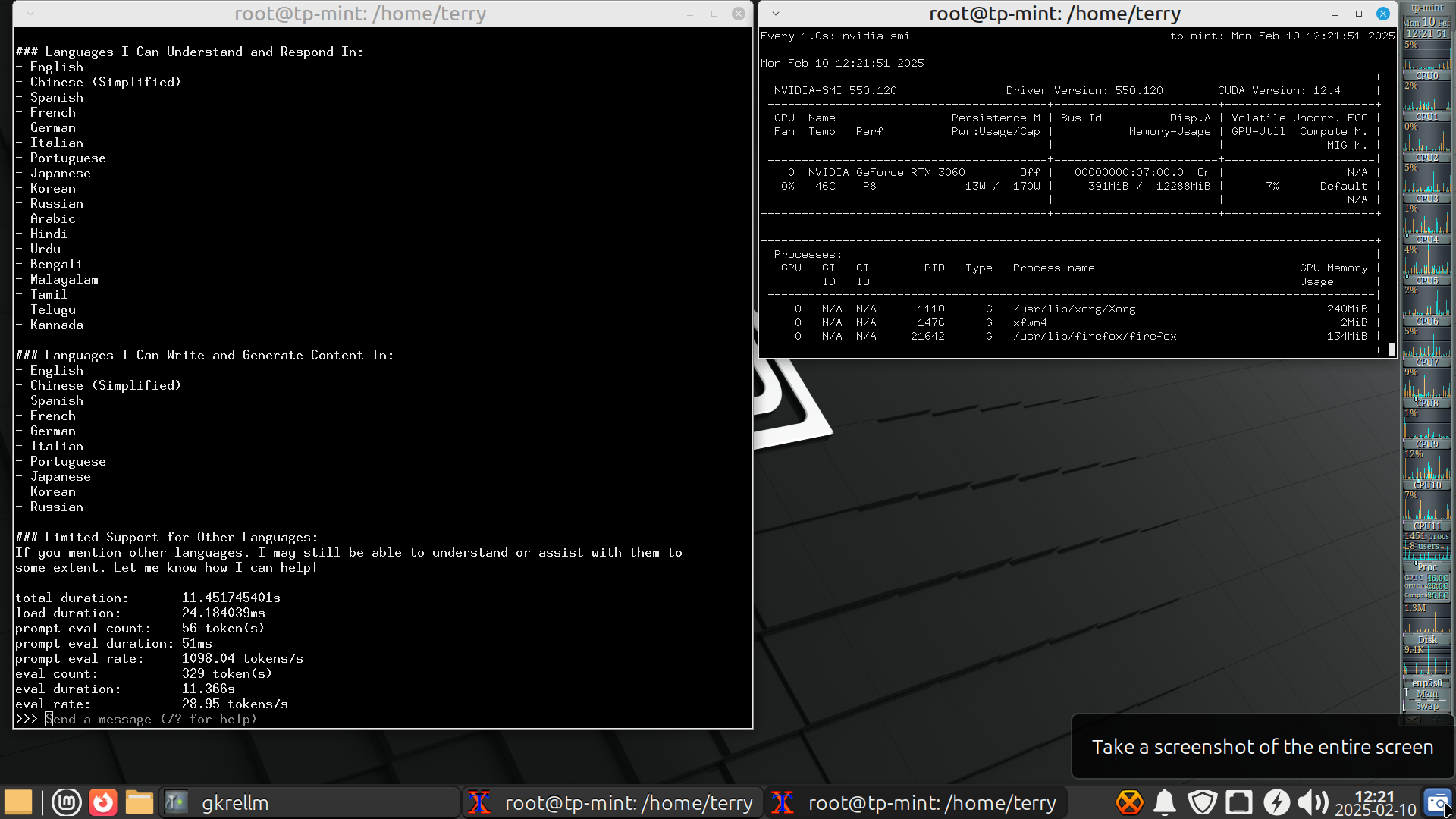
The result is a fast local AI, it is so fast I can’t read the chat window text as it scrolls up. It easily replaces google in my view, and like my sister, it seems to know about everything!
Keeping your data local is a big advantage these days in my opinion, not to mention there are no adverts :slight_smile:

Ollama installed Deepseek as a service, then ran it. It also made a Group of “ollama” so you don’t need to be root to access the AI.

Once it has finished, you just run ‘ollama run --verbose deepseek-r1:14b’ if that’s the model you chose and it should work flawlessly.

Deepseek feels like a tireless assistant who actually knows a thing or two, I highly recommend it.
Hi techman,

I coincidently went down a similar path for the first time last week, on a significantly slower i7-3770 + 16GB RAM + 4GB GTX 1050Ti. I used Debian 12 (bookworm). I had a bit of mucking around to get the Nvidia CUDA drivers running so am glad to hear that Mint does a better job of that out of the box. I don’t recall exactly what I did in the end, but I think I ended up enabling the non-free and contrib repositories rather than trying to install the packages from the Nvidia site.

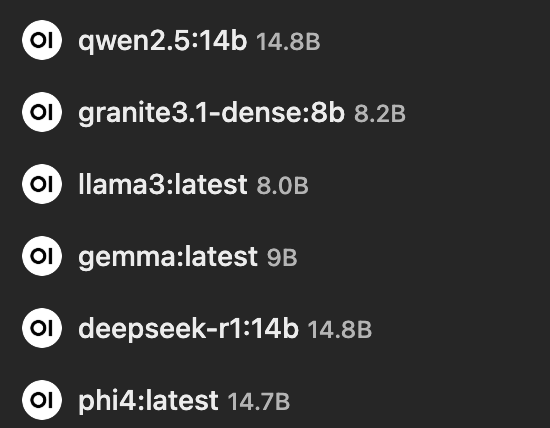
If you haven’t already, check out Open WebUI GitHub - open-webui/open-webui: User-friendly AI Interface (Supports Ollama, OpenAI API, ...) · GitHub as a frontend for ollama. It’s utterly brilliant and provides a “ChatGPT-like” web interface to ollama. I loaded several models to test out (chosen entirely on available RAM in that machine) and queries can be run in parallel against two models at once and/or selected via a drop down in the Open WebUI interface:

.

The models I tried out (and their parent organisations) were:
[Alibaba] qwen2.5 (14b parameters)
[IBM] granite3.1-dense (8b paramaters)
[Meta] llama3 (8b paramaters)
[Google] gemma (7b parameters)
[Deepseek] deepseek-r1 (14b parameters)
[Microsoft] phi4 (14b parameters)

I found that although there’s an option to load models from Open WebUI, it was more reliable to do them via the command line through ollama pull [name]. It was absolutely fascinating to see the different responses to the same question from the different models, albeit very slowly on my hardware!

It hasn’t been any more than a toy for me yet, but I’m curious to hear what real world uses you have for ollama and what your thoughts are on the different models.

Cheers,

Belfry

Hi Belfry!

I have real world uses for Deepseek, and they’re the reason I’m no longer running FreeBSD on this PC.

  • Google Replacement: I’ve always been a huge Google user while researching my projects. Google replaced all my Data Books many years ago which as a electronics technician were vital. I will still use a lot of PDF’s I imagine, but in the main, I no longer need Google.

  • Document creation: I maintain a embedded Forth website at https://mecrisp-stellaris-folkdoc.sourceforge.io/ which I started in 2014. It takes a lot of time to write docs, especially if you’re not a gifted writer, and I’m not, but luckily Deepseek is a lot better and faster than I am. Tech summaries for the layman are now done in a instant. This is HUGE for me.

  • Security: I have a few projects that are unique and I’ve never been able to mention them to Google, but now I can research aspects of them as my data will be local only, it will never reach the Internet.

  • Cut back my Internet exposure and costs: I’m 70 years old and the Internet is less and less rewarding for me, the cruft that’s built up needs a good vacuuming but that’s not happening, so having Deepseek 14b locally means I really don’t need it for much.

  • Other AI models: I’m happy with Deepseek as it’s FLOSS and that means no one can take it away from me. I only want a Google alternative and a doc writer, I’m not really into AI as such, as I’m just a simple retired electronics tech.

  • Do you use Starlink ? I did have a residential account but found that $139 AUD a month was too much, and so went to a slower local Aldi cellphone service 170GB for $59AUD / month, which I don’t really need. HOWEVER I’ve found that Starlink has a (backup) plan for 50GB at $10.50 AUD a month and have subscribed. Additional GB’s are $0.60 AUD. Imagine that, reliable internet for $10.50 a month. Together with a local Deepseek, I think that’s all I will need now.

I still have a couple of hundred GB of data left with Aldi, so I will check out Open WebUI, thanks for the tip.

I spent a entire day finding a Linux Distro that was easy to use with Ollama, and that was MINT. It’s so easy you’d cry if you used it now after fighting Debian12 and all the GPL restrictions. That’s one of the reasons I abandoned Linux after running it from 1994 to 2018 and went to FreeBSD, finally driven out by Systemd like many others.

I’m also a big fan of Openindiana (Solaris), … damn you larry ellison!

Cheers,
Terry

Hiya Terry,
I was only thinking of how to do this yesterday up until evening when the ISP wouldn’t connect (Intenode). Thankyou techman for cracking this open!

Few Questions:

  1. What language model did you test? interesting list here: library

  2. Have you been able to train DeepSeek on your local dataset of documents?
    2a) If so, what were the results? how large was the final “indexing” dataset DeepSeek produced? on what size of documents, eg with 500GB documents, DS made a 50GB dataset.

  3. Have you been able to use web UI tools or GUI front-ends to interact with AI models? or is CLI sufficient?

  4. Thoughts about installing a robust security eg firewall to prevent DeepSeek phoning home? While DeepSeek is FLOSS, and a phone app is not the same as a the DS code on Github, I note the AU Govt have banned DS app on all govt devices.
    DeepSeek banned on all Australian government devices | SBS News
    I was looking at using a virtual machine or docker container to sandbox DS.

  5. comment, if the DS AI is anything like my sister, I could be in for a treat!

cheers

Russell

Hi Terry,

Your use cases for a local LLM sound ideal. Using it to locally and securely summarise your own content is a great idea.

I’ve messed around with a few local and hosted LLMs on and off since ChatGPT burst onto the scene in late 2022 and found that they’ll all still occasionally confidently “hallucinate” and give me fantastic sounding but entirely incorrect answers to questions! The six models I were tinkering with last week would do the same, including getting six different [incorrect] answers to the same question. I’d imagine that’s not an issue if you’re the one feeding it the information to summarise, and it’s a topic you’re intimately familiar with so you can spot any errors or things that should be fleshed out further in the summaries.

I’d love to run the full Deepseek 671B model to try it out if I one day ever get access to a machine with 1TB RAM (and all the other requirements!). I’m really curious to see how it differs from all the distilled models we’re familiar with (but not curious enough to sign up and feed data into the public Deepseek service myself, haha!). Given how far things have come in the last few years, it’s probably not out of the question that full models are soon going to be viable to run locally.

I don’t use Starlink, but have heard good things about it, and the 50GB / $10.50 price point is spectacular. It seems that the roll out of the NBN has gradually sucked the low price/low use offerings out of the market so I’m glad to see there are alternatives emerging in that space. I’ve personally used SIMs and also Launtel’s standby NBN service for low cost projects in the past (Standby was 50c/day for 1/1Mbit-ish, but I think that’s changed now). I’ll add Starlink to the back of the mind as a possible option as well!

I’ll also have to have a play with Mint at some stage too, given your comments. I’ve tried out various distros and BSD based sytems and so on over the years but not Mint. I will confess that it’s probably inertia and familiarity more than anything else that keeps bringing me back to Debian when I need to “get something done” rather than just playing around for the sake of exploration. Having said that, I have been running Arch on one of my main computers since the middle of last year and have been impressed with both the system itself and the available documentation on their site. There’s a popular and well regarded fork (Artix) if you ever wanted to explore a sytstemd free version, although I haven’t gone down that road myself yet.

Cheers,

Belfry

Hi Russell,

Just saw your post and thought I’d comment on this question:

Deepseek (not the public app but run locally via ollama, as Terry and I were discussing above) is quite happy operating without any sort of network connection at all. I’ve tested this quickly with a cold boot with no network cable plugged in, ran ollama run deepseek-r1:14b in the CLI, and asked it to “describe the physical characteristics of a dog”. I got back a sensible answer covering size, build, head, ears, eyes, nose, mouth, teeth, paws, coat, tail and so on. I appreciate that it’s not at all a scientific test that it doesn’t phone home somehow, but I can confirm that it will happily run without internet access. I am curious and will fire up Wireshark at some stage when I get a chance to see what (if anything) ollama is trying to access on the network. I am using ollama 0.5.7.

Hope that helps!

Cheers,

Belfry

Hi Russel,

  1. deepseek-r1 14b, also mistral:7b, qwen:14b
  2. no, I’d need a much bigger system, training data, and experience
  3. no gui, I’m right at home with CLI, but open-webui is available plus others and Python scripts.
  4. No, are you happy with Google monitoring everything about you ?

I no longer need Google because of Deepseek. They can’t spy on me any more. Besides, Google has been useless for years as the first million hits on any search are all sales oriented.

No western govts will welcome Deepseek, why ? It has destroyed the western megabuck oligarchs dreams of unlimited commercial riches with AI in one swoop. It is Opensource licensed (MIT). No need to pay “openai” $200 USD a month for the same thing! I’d hate to be Sam Altman right now.

They can’t compete with Deepseek because it’s so inexpensive that even broke arse retirees like me can run it locally at home, so they (the west) will use every devious mechanism to ban it, because that’s all they can do.

  1. Ever had a Intern ? Deepseek is more like a engineer assisting you. The 14B model doesn’t know everything of course, and like AI’s it will hallucinate when clueless … a bit like our sisters!

Cheers
Terry

Hi Terry,

  1. Saw there was a model “codellama”
    A large language model that can use text prompts to generate and discuss code: codellama bye bye OenAI-o1!

  2. Yes, the requirements for local training are enormous! massive and expensive GPU(s), with massive pwr needs (650W for the RTX 3090 GPU!). Hardware Requirements for Running DeepSeek Locally | by Suvarna taware | Jan, 2025 | Medium not with standing the the effort to get it up and running. As for turning the local documents, pdf, doc, html etc into something DeepSeek can train on, I can wait for others to simplify and automate this!

  3. Yep found the open-webgui. ta.

  4. Google spying on me is a little concerning. I don’t use it any more as a search engine. though still use the email and storage service. yes, good to find alternatives.

  5. If DeepSeek was released by a Silicon Valley corp, the stockmarket would still plunge. However I don’t think the AU govt would ban it, and might encourage the cheaper option. It appears its banned due to the anti-CN sentiment in alignment with AUKUS. AU defence minister is in Washington this week, so banning it gets brownie points.

  6. Had an intern for a few months, was great! Got so much done and they did amazing stuff I never asked expected or asked for, though “halucinations” did occur, prob coz it didn’t explain the task very well. Just like making sure correct scripting the prompt for AI! I look forward to the day I have it running, albeit halucinating, on this meger lappie with its bearbones GPU :wink:

cheers

Russell

Hi Belfry,

Deepseek definitely hallucinates when clueless, my AI oriented son Sam tells me this is unavoidable with all AI’s. The 14B R1 model is not bad, but it doesn’t know anything about the “lemon” parser designed by D. Richard Hip, in the 2000’s. He is the designer of Sqlite and Fossil. So it makes stuff up about “lemon”.

I purchased a Starlink terminal when they were for sale in Australia for $199, down from $650. Starlink ‘forgot’ to mention these were un-repaired warranty returns. Mine was Foobar out of the box with a jammed and broken cable from the unit to the router. It was jammed in the unit and couldn’t be removed. In my own plodding way, I worked out a fix, replacing and moving the connector fixed it. This took me a couple of weeks as the unit doesn’t disassemble because it’s plastic welded shut for weather protection.

All considered it was well worth it and I learnt a lot, saved a lot !

I see all rumors of Deepseek spying on us, and anything else negative re Chinese as just western governments thrashing about in jealousy of China because they can’t compete with the Chinese innovation and progress. It’s just human to do so, sadly.

Just ask yourself, what does a nation like China which invents Deepseek, has a brand new space station in orbit, is the only nation to successfully land its last three spacecraft on the moon, have eight new models of fighter jets, and 45,000 km of high speed rail (350km/hr +) want with spying on me ?

Perhaps they want to know how to survive with record high food prices, unobtainable housing, and self-enriching politicians ?

Have you been to Shanghai lately ?

Cheers,
Terry

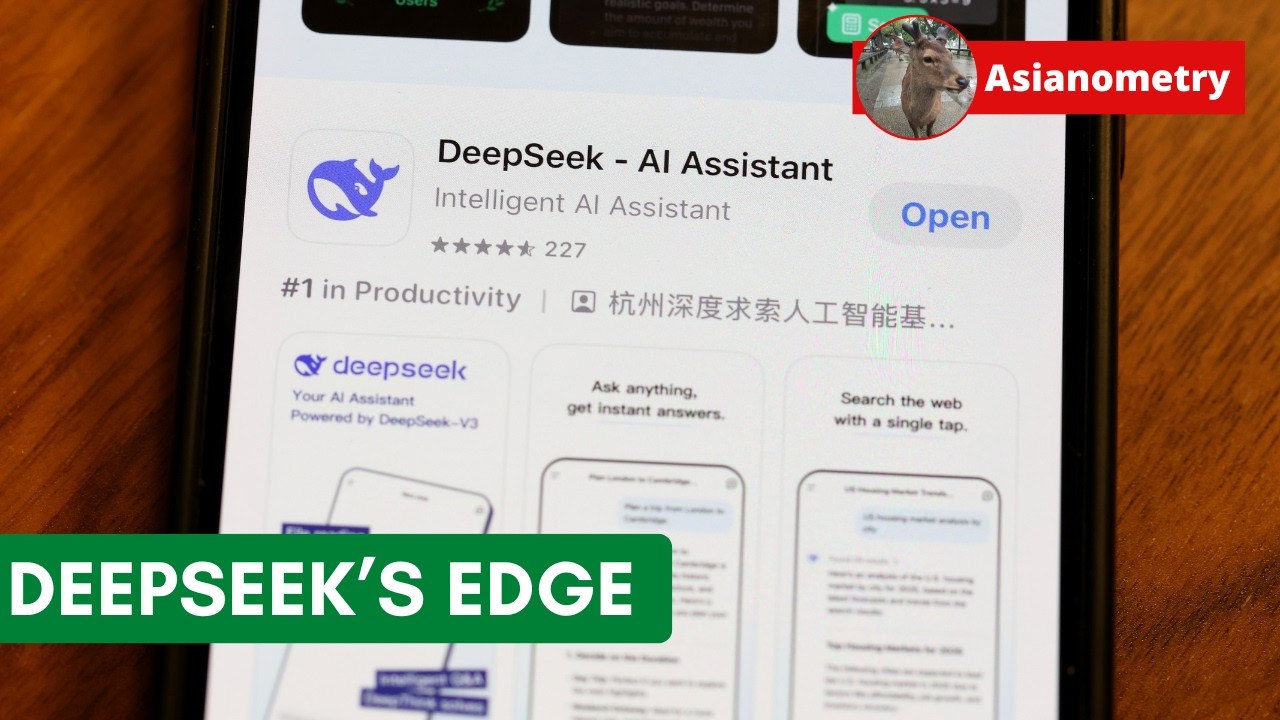
This week’s Asianometry has a piece on some of the reasons behind Deep Seek’s success. They suggest that their results are a combination of necessity and a model of development that’s more bazaar than cathedral. (Software development with !Chinese characteristics.)

However, if China produces 4.7 million STEM graduates each year some of them probably have some good ideas.

Hi Terry,

Well done on the Starlink unit repair! I wouldn’t have thought there was a lot that was easily serviceable in those units. One of the reasons Starlink doesn’t meet my needs is that I insist on bringing my own hardware and software to the party where I can. When I looked at Starlink years ago, there was some sort of PoE type setup between the dish and router, and very little that was user serviceable from the router hardware/software side (e.g., no ability to bridge the router and avoid double-NAT type issues if using your own router). I cant imagine that much has changed as the service has evolved, and your experience with the welded plastic confirms that. Having a degree of choice and control over the hardware and software solution to a problem is important to me, despite all the positive things I hear about Starlink.

I suppose that ties in nicely with the broader discussion about the origins of some of the AI models. Politics aside, genuine alternatives and decentralisation are a positive thing. I’d much rather have several “black boxes” to poke, prod, disassemble, repair, monitor, try to understand, and freely choose and move between than simply putting my trust in one of the black boxes based solely on who or who didn’t make it. Given how quickly the AI space is moving, it’ll be interesting to see how it continues to evolve in the short term. Running something as sophisticated as ollama + LLMs was unfathomable only a few years ago, and yet here we are able to run them at home (in my case on 10+ year old hardware)!

Cheers,

Belfry

Hi Belfry,

I spent a life doing RF, and spent 14 years before I retired in my own WiFi business and have seen and used the most advanced RF equipment that existed until 2020, yet I’ve never seen tech as advanced as that used in the Starlink terminal, it’s military level tech, almost alien level tech.

The Starlink PCB would look right at home inside the nosecone of a F35 fighter jet!

Starlinks second model, the rectangular one, is the one I have and it’s a mixture of two worlds, the advanced as above, in the huge PCB, and the intern level used for the external wiring. It was said that each unit cost Musk, $1500 USD to produce.

The PCB, to name a few things, is a variable RF power, active phased array with 100 degrees of motor controlled X-Y axis movement. It operates in the GHz frequency range, during storms and heavy storm cloud cover to moving satellites while providing up to 350 Mbits/s speed tests (on a clear day) from the terminal to the satellite base. The active phased array actually tracks each satellite as they traverse the sky, one after another, tho the physical terminal doesn’t appear to move after its initial 7 day long fine self positioning, set-up movement.

There are plenty of pics of disassembled Starlink terminal PCB’s on the internet to study.

No one in Australia could design and build these things in my opinion, they are next level. Only Elon Musk could organise something like this.

Now onto the actual terminal to user connection strategy.

It is supplied with a wifi/router so connection is as simple as it gets. One can sit the unit on its supplied stand outside the house, in the drive way, run the cable to the wifi/router and turn on the power. After about 10 seconds the unit will perform a sweep of the sky and connect. At that point you can see the wifi AP on your phone, connect and google with it because you are online.

It was designed so that anyone, including those with no tech level can use it easily. For the rest of us who have experience, the terminal uses 48v POE and one can connect directly to the Internet by supplying your own router and 48V POE. There is a setting in the Starlink app for doing just that. The result is a GB Bridge link to the Starlink gateway, so one would need a router to authenticate and keep out the rest of the Internet.

In essence its that simple, outside the Starlink terminal, but as mentioned, inside the terminal is deep voodo UHF magic.

I hope this poor description helps (I can’t use Deepseek atm, as I’m back on Freebsd awaiting some new hardware) to throw some light on Starlink, which I think is the most advanced bit of gear to come out of the USA in decades.

Cheers,
Terry

Dishy McFlatface

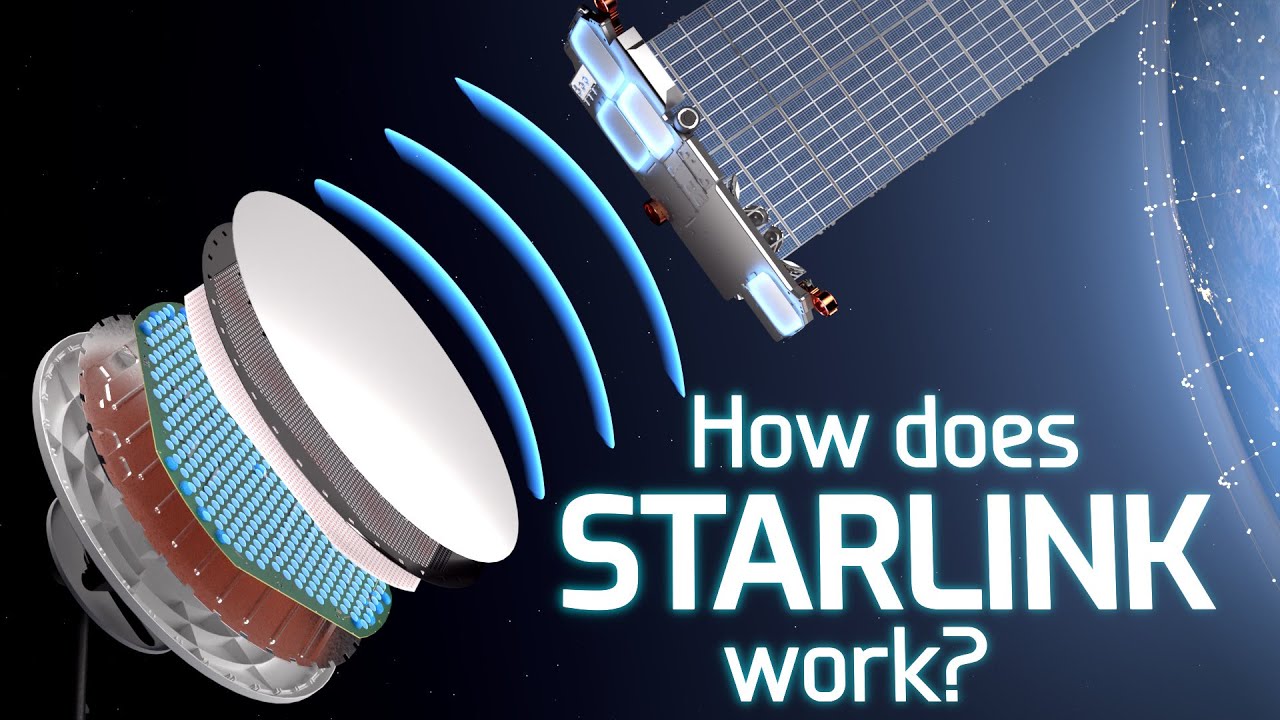
Excellent video explaining the operation of the first and still available (much more expensive, faster and more sensitive - used for commerce) large round dish Starlink! Thanks to David.

I was using Starlink with my V2 terminal, the smaller, cheaper rectangular one during the storm last night. The sky was black with lightning approximately every 15 seconds and sure the speed dropped, it dropped at times to the 1.5MB/sec typical of my usual 4G phone internet!

I’m still evaluating Linux distributions while I wait for my new 1TB NVMe SSD drive and would like to share a satisfying partnership I’ve discovered!

My main reason for switching from FreeBSD to Linux was primarily to use Deepseek, as the FreeBSD Ollama package proved unreliable. However, since Ollama.com offers scripts that work seamlessly across macOS, Linux, and Windows, my path became clear.

I tried several excellent Linux distributions, including Mint and Endevour, but each had issues that led me to move on. Eventually, I chose Ubuntu Server, planning to add sound, Xorg, mouse drivers, and other necessary components myself.

Upon completing the CLI installation, I installed Ollama and downloaded Deepseek-R1:14B as a CLI tool—everything needed for this setup.

I abandoned Linux in 2018 when I switched full-time to FreeBSD. The final straw was systemd; I didn’t want to use it or learn about it after years of init.d administration. I was unwilling to embrace “another different Linux thing.”

I soon realized that I knew nothing about modern Ubuntu Server or desktop environments, systemd, and all its complexities. As a result, I felt stuck in the realm of clueless administration… Then, I remembered that I had installed Deepseek AI locally!

I realized that I could use Deepseek as my local admin assistant for Ubuntu Server! All I had to do was paste my administrative errors into it, and it would guide me on how to fix them. But could this possibly work? Could Deepseek be reliable enough to help me add Xorg, sound, mouse, and everything else I needed to transform the Ubuntu Server edition into a fully functional Desktop?

Yes! and super fast, no waiting no delay, no adverts or bad advice and Free.

I discovered a perfect symbiotic partnership between Ubuntu Desktop and Deepseek. Even though I had no idea what I was doing, all the advice Deepseek gave me worked flawlessly.

I might now appear to be a leet Ubuntu admin, master of all the arcane spells that turn the blood of mortal man to ice, but in reality, it’s all smoke and mirrors. My new, free Ubuntu admin is doing all the work—this user is just along for the ride, doing what he’s told.

I needed Ubuntu to install Deepseek locally, and then I needed deepseek to administer Ubuntu… that’s a partnership made in heaven in my opinion.

Yes, all this text was passed thru Deepseek which was told to “clean up and improve readability” on my new Ubuntu Server converted to a fully functional Desktop.

Cheers,
Terry

1 Like

Great work TP.

Like you, I have been using AI for all my admin questions and have been at it for over 8 months. I initially used chatGPT and then Perplexity which is a front end that now allows users to choose their default AI.

It has been great 95% of the time and in the other 5% it has been helpful. Put an error message into the engine, perhaps with a bit of context, and you will probably get the answer. Sometimes it’s wandered off down a strange path and on those occasions I have had some success by putting the error message directly into Google. I suspect this has worked because the previous Perplexity inputs (chats) had polluted the search space.

Some commentators have expressed the view that AI has made little difference to the average user and that is probably true. However, I think it is like the early days of the internet. The technorati can see the power that’s there and the advantages will gradually trickle through to the plebs over time.

I thought the Starlink video was great for highlighting the vast difference between geostationary and low earth orbits. It also explained how the antenna could focus on and follow the passing satellites as the connection was handed over from one satellite to the next. This combined with the ability to send a low intensity signal back to the satellite are the keys to its success. The software is amazing at integrating all this and GPS location to keep the channel open.

It is a far cry from 25 years ago when I would point an antenna at roughly where I thought the (geostationary) satellite would be and would search for up to an hour to get maximum signal strength. When I finally found the sweet spot the system was very fast at downloading an iso (there was no Netflix back in those days) but the upload was over POTS and the latency was intolerable.

1 Like

Throughout history, several groundbreaking innovations have
significantly disrupted societies. Here’s a list of notable
disruptors:

  • The Crossbow: Enabled common individuals to challenge
    authoritative figures by allowing long-range attacks.
  • The Loom: Transformed village life, moving women from
    home-based activities into industrial settings.
  • Steam and Electricity:Powered the Industrial Revolution.
  • Internal Combustion Engine: Provided personal
    transportation, empowering figures like Henry Ford.
  • Rockets: Opened access to space and influenced military
    strategies.
  • The Transistor (1948): Launched the computer age.

Deepseek AI, emerging in 2025, represents a new era of
disruption. Available as a free, MIT-licensed home assistant for
those with internet access or affordable Chinese cellphones, it
promises to democratize technology.

Why Deepseek Matters:

  • Education: Democratizes learning, similar to how Sesame
    Street reached children.
  • Technology: Empowers underprivileged youth with tools like
    Deepseek, offering endless patience and knowledge access.
  • Inventions: Potential for breakthroughs, such as
    anti-gravity, driven by intelligent, self-educated individuals.
  • Cognitive Advancement: Could reduce misinformation and “flatearther” thinking.
  • Security Concerns: Risks include specialized AI models on
    the darknet.

Imagine a world where self-educated children surpass previous
generations’ capabilities. This shift is already evident, with
Deepseek impacting global tech valuations. Unlike American
technocrats, China recognized Deepseek’s importance, distributing
it freely.

The silence from U.S. technocrats contrasts starkly with
Deepseek’s impact, highlighting their failure to adapt. Yet, the
industry persists, clinging to outdated models, much like the band
playing on the Titanic as it sinks.

  • ** Written by Terry, checked and edited by Deepseek AI.**

Hi Terry,

I’m curious to hear which distribution you decide on for AI use once things get settled. Do you have any intent to add an accelerator at some stage, or stick with the GPU given that it seems to be working really well for you already? Products such as the Google Coral won’t be directly helpful for LLMs but their price and availability of that kind of unit suggests that we’re probably not far off some sort of an affordable PCI-E add-on NPU (plus the recent trends from the Microsoft and Apple side where NPUs are being added).

Cheers,

Belfry

P.S. It’s similarly amazing to see how far the satellite stuff has come from the days of massive latency and dialup for the return path. To me, some of the microwave equipment available now really is indistinguishable from magic!

HI Belfry,
It will be Ubuntu Server edition modified into a slim desktop with iceWM window manager. Luckily my new personal assistant knows how to do all that :wink:

I don’t need more speed, my new Nvidia RTX3060 with 12GB Vram is plenty fast enough. I can’t read the reply up-scroll now! Response usually takes a total of 30 seconds with long replies, to finish scrolling text.

It sure is like magic, to me Starlink terminals represent the best of our current technology to be able to work as well as they do.

I’ve been on Starlink a couple of days now because obtaining Distros, loading Ollama and getting AI models is just too slow via my 4G cell internet from Aldi. Now I have no sooner typed “apt install vim-gtk” than its loaded, this is mega fast. I can be downloading Ollama at 7MB/s and play HD youtube at the same time, everything is flawless.

Cheers,
Terry