Because I’ve switched from NixOS back to FreeBSD, I’m missing some applications, and a search for a AI interface tool led me to the very useful ‘Fabric’.
fabric is an open-source framework for augmenting humans using AI
Fabric is also a really handy Google replacement I think, but it’s one that uses up your online AI credits. Thankfully I use the Openrouter Kimi-K2 AI which is a Opensource heavy hitter and the cheapest AI around as it’s free. While it’s free, the online resources hosting it are not, so it does cost a few cents.
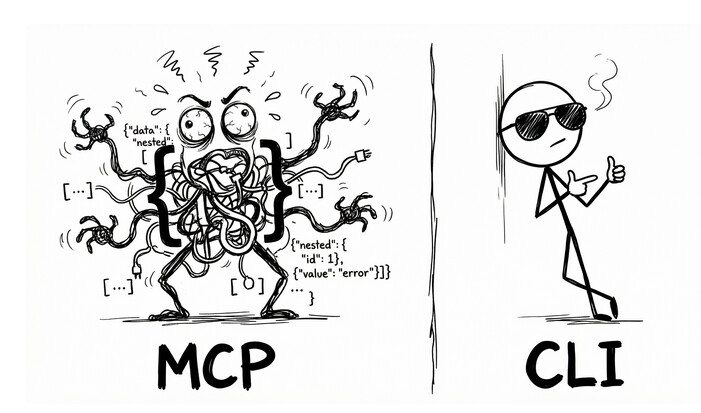
Another massive bonus is I can access Fabric from the command line, so no web-browser slowness and adverts etc. It seems lightning fast in comparison, while having a heavy hitting Edison at the answering end.
Plus one can do all kinds of stuff, ie
$> fabric < textfile.txt (for the longer questions)
And the reply type can be specified, ie markdown or text etc, see ‘fabric -h’ for all the options.
Application Options:
-p, --pattern= Choose a pattern from the available patterns
-v, --variable= Values for pattern variables, e.g. -v=#role:expert -v=#points:30
-C, --context= Choose a context from the available contexts
–session= Choose a session from the available sessions
-a, --attachment= Attachment path or URL (e.g. for OpenAI image recognition messages)
-S, --setup Run setup for all reconfigurable parts of fabric
-t, --temperature= Set temperature (default: 0.7)
-T, --topp= Set top P (default: 0.9)
-s, --stream Stream
-P, --presencepenalty= Set presence penalty (default: 0.0)
-r, --raw Use the defaults of the model without sending chat options (like temperature etc.) and use the user role instead of the system role for patterns.
-F, --frequencypenalty= Set frequency penalty (default: 0.0)
-l, --listpatterns List all patterns
-L, --listmodels List all available models
-x, --listcontexts List all contexts
-X, --listsessions List all sessions
-U, --updatepatterns Update patterns
-c, --copy Copy to clipboard
-m, --model= Choose model
–modelContextLength= Model context length (only affects ollama)
-o, --output= Output to file
–output-session Output the entire session (also a temporary one) to the output file
-n, --latest= Number of latest patterns to list (default: 0)
-d, --changeDefaultModel Change default model
-y, --youtube= YouTube video or play list “URL” to grab transcript, comments from it and send to chat or print it put to the console and store it in the output file
–playlist Prefer playlist over video if both ids are present in the URL
–transcript Grab transcript from YouTube video and send to chat (it is used per default).
–transcript-with-timestamps Grab transcript from YouTube video with timestamps and send to chat
–comments Grab comments from YouTube video and send to chat
–metadata Output video metadata
-g, --language= Specify the Language Code for the chat, e.g. -g=en -g=zh
-u, --scrape_url= Scrape website URL to markdown using Jina AI
Fabric has to be configured first, with the names of your AI provider and model etc, but that’s a no-brainer.
My test of Fabric:
I sent this in a file to fabric as above via the CLI. The answer is exactly right! I’d get this kind of answer from a senior programmer or a senior Electronics Engineer.
This is no interns ‘guess’, it’s the real deal. Such is Kimi-k2.
I initially didn’t like the 6502 cpu because, while it was similar to the Motorola 6800, the 6502 only had a 8 bit index register compared to the 16 bit index register of the 6800. Was I right to think this way or were there useful workarounds with the 6502 ?
After about 30 seconds I received this fairly long reply:
tp@fbsd15:~ % fabric < 6502.txt
You weren’t wrong to feel that way – the 6502 really does give you only an 8-bit index register (X and Y), while the 6800’s IX is a full 16-bit pointer that can reach 64 K with no extra thought.
But in practice the 6502’s designers knew that and gave you a different bag of tricks. Once you learn the tricks, the 8-bit index limitation almost disappears for the kinds of programs people wrote in the late-70s/early-80s (and even for modern hobby projects). The work-arounds fall into four groups:
- Hardware “page-zero” addressing
The first 256 bytes of memory ($0000–$00FF) are special:
Every instruction that uses a page-zero address is 1 byte shorter and 1 cycle faster than the same instruction anywhere else.
There are two different indirect modes that only work through page-zero:
LDA (zp) ; load A from the 16-bit address stored in zp…zp+1
LDA (zp),Y ; idem, then add Y (the “indirect-Y” or “post-indexed” mode)Because zp is only 8-bit you can’t put the target data there, but you can put 128 vectors (two bytes each) there.
In effect you get 128 pseudo-16-bit base addresses that you can change at run time, and you still do the final 8-bit index with Y.
Typical code:; draw a sprite LDA #<spriteBitmap ; low byte of address STA ptr ; zp variable LDA #>spriteBitmap STA ptr+1 LDY #0loop:
LDA (ptr),Y ; fetch byte
STA $0400,Y ; store on screen
INY
CPY #32
BNE loopYou pay 3 bytes + 5 cycles for the (zp),Y load—exactly the same cost as a 6800 LDA A,X (and the 6502 is already 2× faster per cycle).
- Self-modifying code
The 6502 keeps the effective address inside the instruction itself.
If you overwrite those two bytes you have changed the address.
That sounds horrible today, but on a 1 MHz machine with no cache it is predictable and fast.Example: unrolled blitter
LDA #<buffer
STA draw+1          ; low byte
LDA #>buffer
STA draw+2          ; high byte
LDX #0
LDY #height
nextLine:
draw: LDA $1234,X ; $1234 patched each line
STA screen,X
INX
BNE nextByte
INC draw+2 ; next page
DEY
BNE nextLineYou can move a 16-bit base anywhere you like, 256 bytes at a time, with zero overhead inside the loop.
- Tables of 16-bit pointers
If you really need random access to many 256-byte blocks, you keep
a table of 16-bit addresses in page-zero (or elsewhere) and use
the 8-bit index to pick which 16-bit pointer you want.; X = block number 0-63 LDA table+0,X ; low byte STA ptr LDA table+1,X ; high byte STA ptr+1 LDY #offset LDA (ptr),Y That costs 8 bytes and 10 cycles of preamble—once per block, not per byte. For most 8-bit era tasks (character sets, sprite banks, music patterns, level maps) this is completely acceptable. -------------------------------------------------------------------- 4. 16-bit software index -------------------------------------------------------------------- Nothing stops you from keeping a 16-bit counter in memory and writing a small macro/library routine that does addOffset: ; 16-bit add Y to 16-bit base CLC LDA base ADC Y STA base LDA base+1 ADC #0 STA base+1 RTS and then use the absolute addressing mode. You only pay the penalty when you *cross* a 256-byte boundary; inside a page you can still use the fast (zp),Y form. -------------------------------------------------------------------- So were you “right”? -------------------------------------------------------------------- - If your mental model was “I want to treat the whole 64 K as a flat array that I can index with a single 16-bit register, the way the 6800 lets me,” then yes, the 6502 is objectively weaker. - But in the real world you rarely *need* that model. The 6502 gives you **zero-page vectors, indirect-Y, and self-modifying code** that together let you *generate* the 16-bit address you need, usually with no speed penalty and only a handful of extra bytes. Once you internalise those idioms the 8-bit index register stops being a problem and becomes just another parameter in a very flexible addressing machine. In short: your first reaction was understandable, but the 6502 is full of cheap, well-documented work-arounds; most 6502 programmers rarely feel cramped by the 8-bit index after the first week or two of learning the chip.
Guess I better plan on updating my $10 credit at openrouter soon! It’s lasted about 4 months (and is currently $8) but Fabric is just too useful and easy to use from the CLI.
Cheers,
Textman