I came away from last night’s meeting with a few jobs. One was to shift a little further from Google as our calendar platform towards our own self hosted solution. We had very promising success with our JSON/PHP based calendar solution, so i’m building on that.
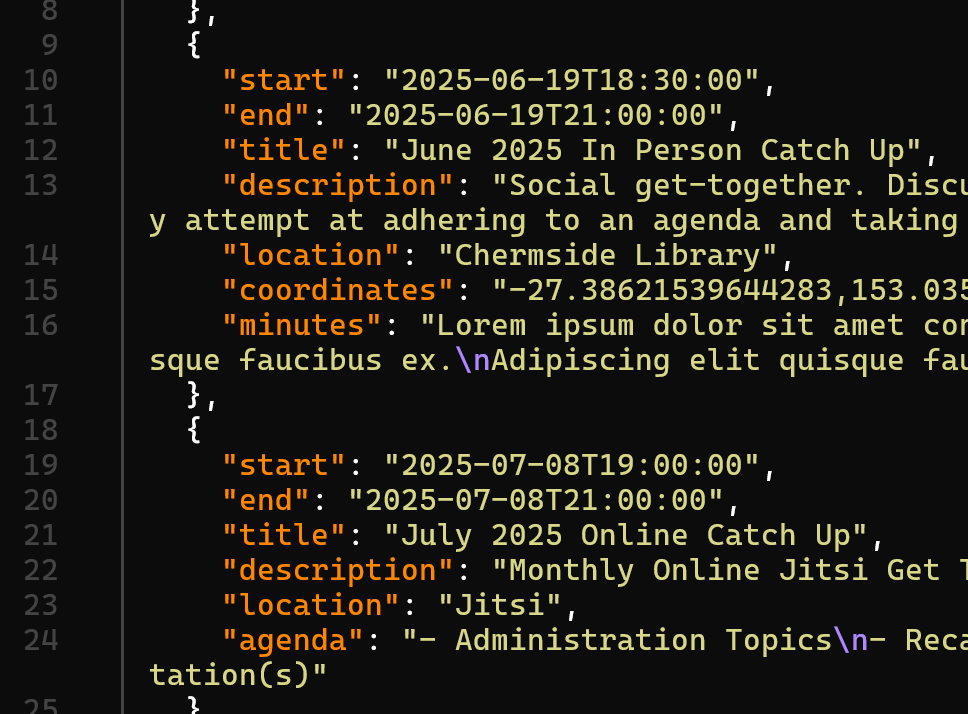
Another of my ambitions is to get better at setting and adhering to an agenda in our meetings, and publishing minutes after them. So with all of that in mind, a few more properties are in our events.json file…
The idea is that a meeting will get a location. If that location is a real world location, we can offer a map to it’s coordinates. Our meetings already had a description, but they should get an agenda which should then be superseded by the minutes.
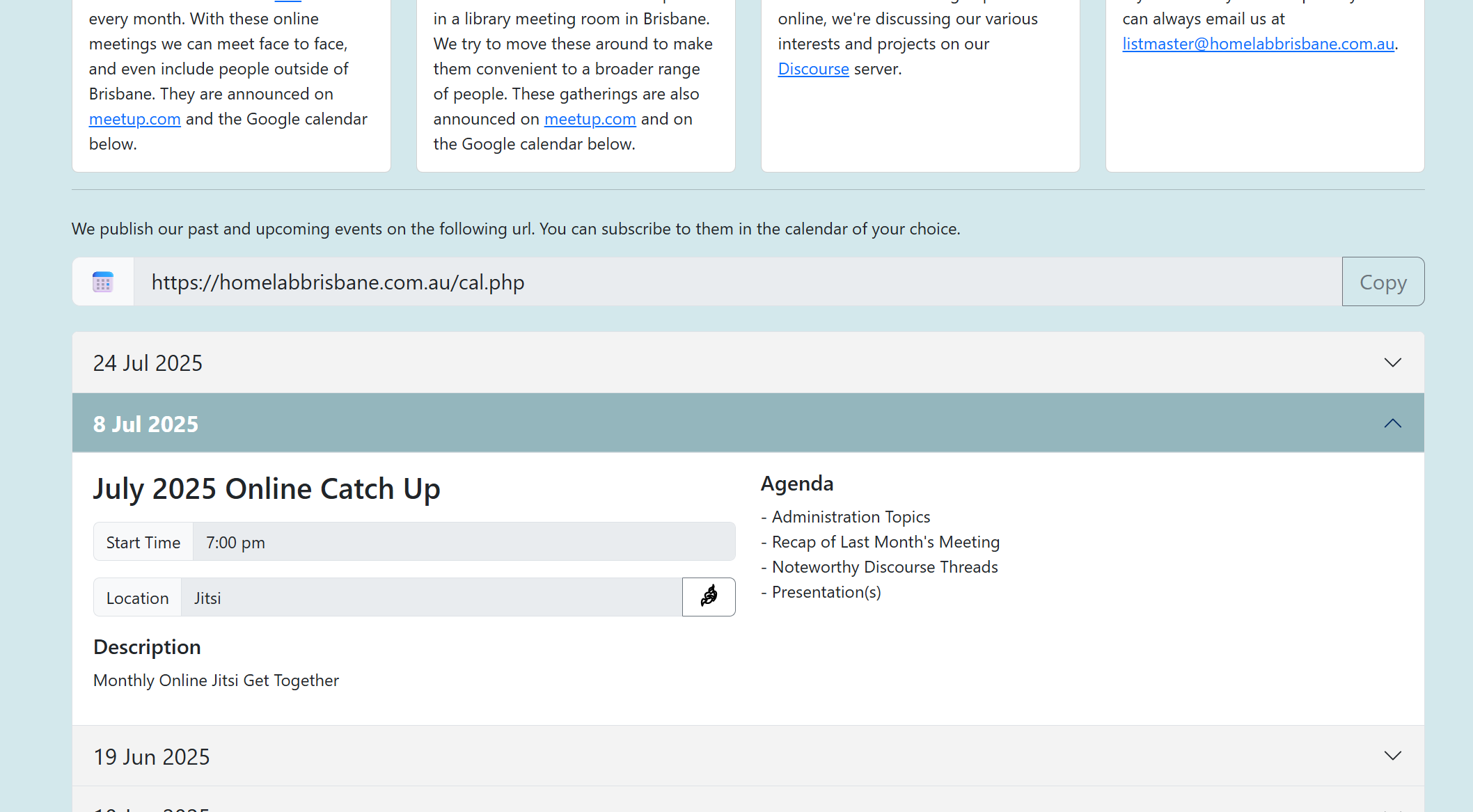
This is how i’m planning on publishing the URL for people to subscribe to, along with an easy to read schedule that will expand on the next meeting by default.
For now this is in only in our homepage repository on our gitea instance. I’m hoping that @zeeclor can have a look at it and offer some feedback. At the moment i think that @zeeclor and I are the only ones using gitea, but i would encourage anybody with an interest in git, scripting or web page development to ask for access and have a look.
If getting involved in the coding is not your thing and you can already offer some feedback based on these screenshots, i’m looking forward to any and all input.
As the devil’s advocate I will make the following comments.
The subscribe URL is clear to our members but moderately literate computer users would probably be looking for an ics file and the casual user will just skip over it (which is fine).
I’ve turned Jitsi back on so you can you set https://meet.homelabbrisbane.com.au/hlb as the target for the online meeting link. (Addit: I love the Jitsi and Pin logos in the location link.)
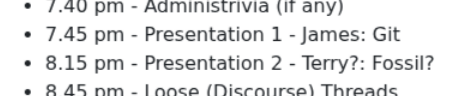
It is good to have an agenda and I like to have a timeline to go with it. This doesn’t have to be hard and fast and should be subject to negotiation but it’s good to give participants a rough outline of how the next hour or so will run. So, for instance.
7.30 pm - Welcome
7.35 pm - Agreement on Agenda Items
7.40 pm - Administrivia (if any)
7.45 pm - Presentation 1
8.15 pm - Presentation 2
8.45 pm - Loose (Discourse) Threads
In this schema, you could say my talk only goes for 15 minutes but I would like to hear about this “Fedora Server thing”.
This probably doesn’t have to appear in the calendar each time, however, since they are relatively “stock items”.
I suspect some of the less paranoid may still want a Google calendar. The Google calendar has a link at the bottom “Add to Google Calendar” which is a one click insert if you are using Google calendar. (We can debate if that’s a good thing. )
Does the front page just show 4 items? That is do past talks FIFO?
Getting those automatic subscription links to work in other web pages is not as easy as it looks, so i’ve just included some instructions.
I also decided that agendas and minutes embedded in the .json was pretty tedious. If you do a git pull you’ll see that there are now sub-folders for agenda and minutes. Within those folders are files like 20250619.md for instance. I’ve also included a library for easily rendering markdown, so pasting minutes from Obsidian into a .md file will be very simple now.
Anyway, i should turn my attention to booking July’s meetings now.
I’d like to do a little talk on git if that’s okay with everybody. Could i persuade @techman to show fossil so that we can see them side by side?
I’ve gone ahead and released that. I’ve perhaps been a little pushy/presumptious here @techman
Editing those markdown files directly is much nicer. I only did it twice, but fiddling around with \n escape sequences in that json file got old real quick!
@zeeclor , i’m gradually working my way through my list of jobs. My next job on the list was to create a UI for our new calendar feature on the web site. I’ve had a go at it, so i’m keen to see what you think.
I’ve put a bunch of documentation in the README.md for the homepage repo, so i’m hoping that after a git pull and a docker compose up you’ll be able to browse to either http://localhost:8080 (for the homepage) or http://localhost:8081 for the new administration page.
This all started with me preparing a slide deck on the subject of using git for the 8th. That sent me off on a tear with my git repos. I made a bunch of improvements to my repo command in the shed repo, and i then did a whole bunch of work on the homepage.
This new admin page for the homepage doesn’t allow us to edit agendas or minutes yet, but that’s next.
Say the word if you’d like a call to talk about this.
Looks Good James. It sounds like nit picking but I wonder if it might be better if the end date could default to the start date and time plus, say, two hours. This could then be overwritten as needed. (Start time is more important than end.) Is that too much work?
I think a brief agenda is helpful for everyone.
I would not spend too long on creating the minutes. A review of the interesting topics from the meeting (and further discussion) can be held on Discourse.
I’ve just pushed an update that should attend to that end date idea. It’s funny how obvious that approach should have been to me. It’s easy to get immersed in the way things are instead of the way they should be.
Looks good. Did you want to show the duration on the calendar page? It’s a minor matter but we have may have some hard outs, such as when they turn off the lights.
@zeeclor, I’ve added the ability to edit or remove agenda/minutes into the adm UI. I’ve also added six new events. I’m just waiting for confirmation from Carindale for the Sep and Oct bookings before i publish it. In the meantime you can git pull and docker compose up to take a sneak peek.
That’s a nice solution for an group like ours, JD. Each entry now has Agenda and Minutes fields. The Agenda is displayed in upcoming meetings and the Minutes for past meetings.
No worries. It’s all in the repo, so once it’s confirmed i can resurrect those entries from history. Sounds like the ability to edit agendas and minutes pretty much finishes off the functionality of the adm module.
I think i can now turn my attention to the “gadget orphanage”. I’ll start a new thread on that subject to see what everybody thinks.
 )
)