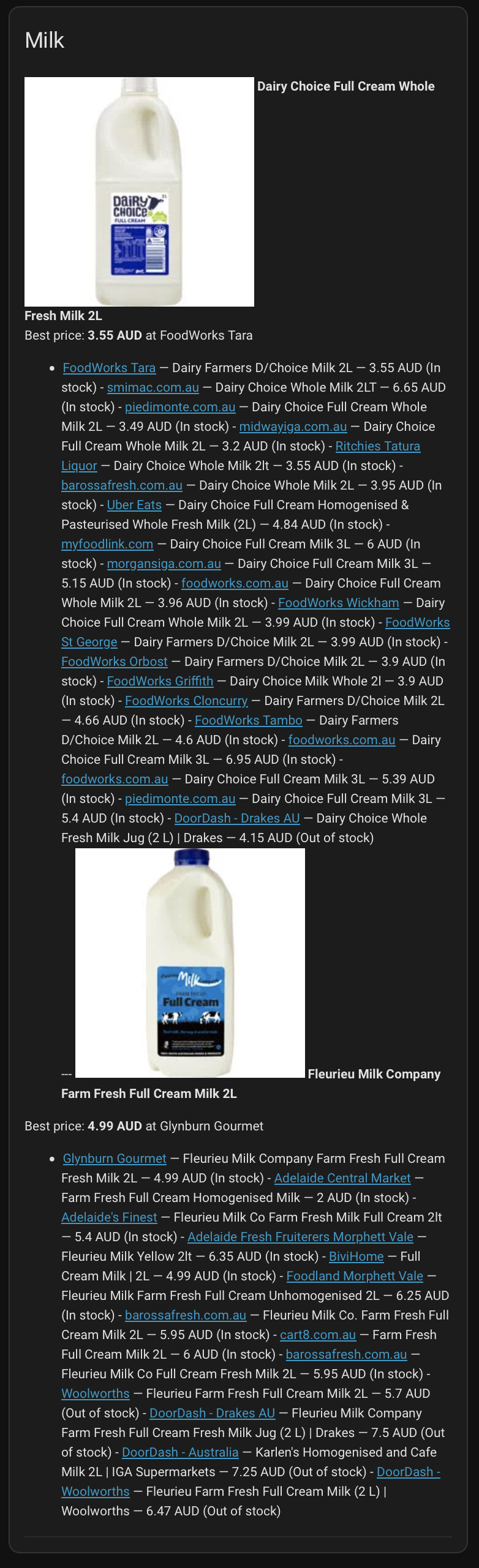
That’s disappointing but probably not surprising.
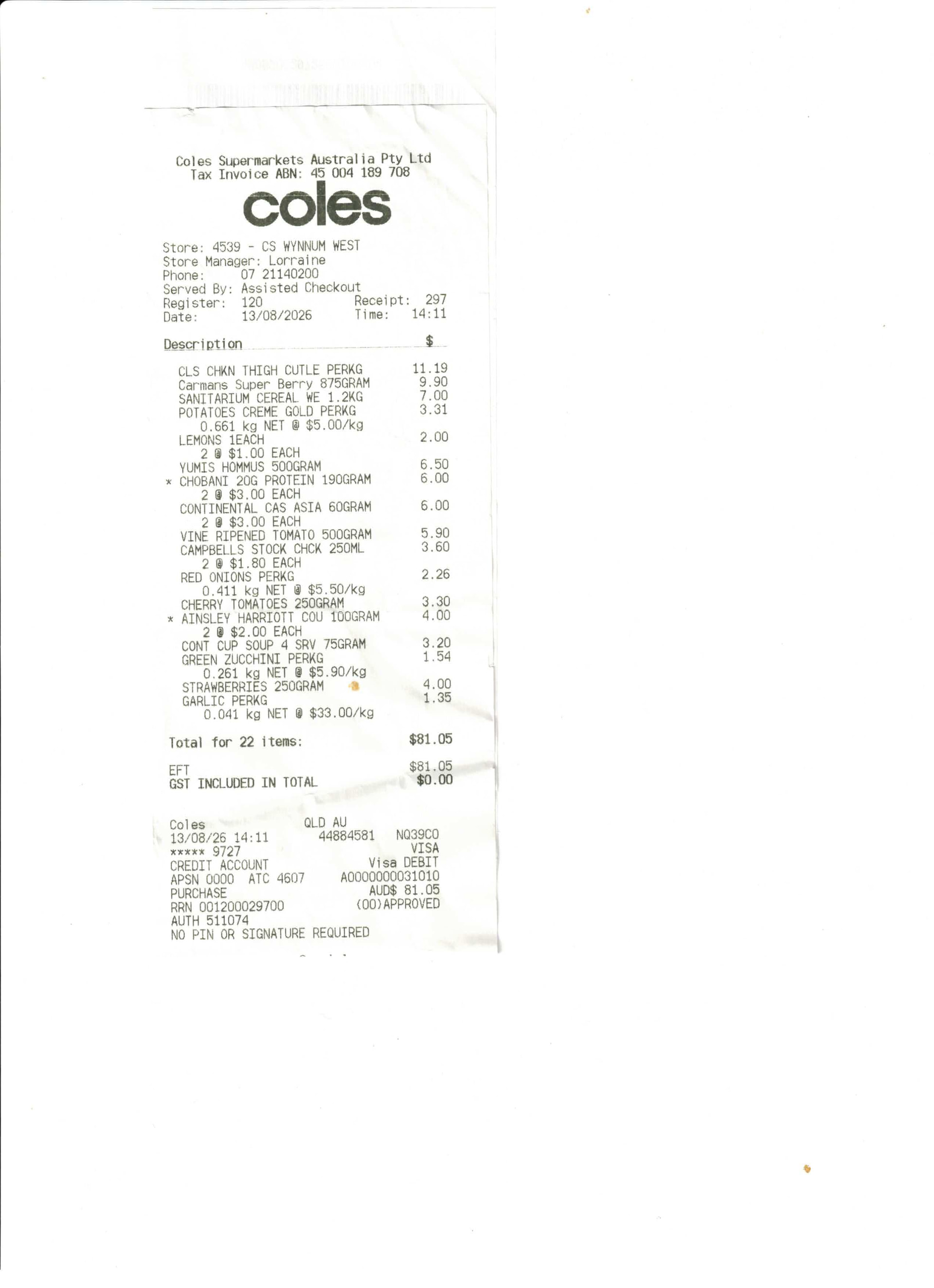
On a brighter note however, Claude and I (mostly Claude) have been working on the data input part for the Shopping App. It turns out AI enhanced scanning of the shopping docket works pretty well. Claude is writing the app in python and is integrating it with Grocy and Mealie.
I have appended the current version of the README below but it is constantly changing as Claude adds more functionality. A few things to highlight.
Depletion
Claude notes that most pantry apps fail because consumed items are not removed. The app addresses this by deleting items from a consumed meal / recipe or scanning empty packets at the end of the meal (another task for the dishwasher) or manual removal of the expired items that Grocy flags.
Fresh produce
The shopping docket approach looks like a great solution for fresh produce that does not have an EAN-13. It will be interesting to see how well it works in practice.
Grocy database population
The setup so far has been made on only four shopping dockets. The difference between the model and what’s in the pantry should shrink over time as more shopping dockets are added and as more recipes are added to Mealie. Again time will tell.
Next Stage
For the time being I plan to just let the database populate with more dockets before even considering doing an actual stocktake of the pantry. I will also add dockets from Aldi, IGA and others grocery stores.
Claude also recommends using Barcode Buddy to integrate with Grocy for managing item consumption. This is said to be a better workflow than relying on Grocy’s inbuilt scanning option.
I’ll keep the thread posted.
README.md
theShoppingApp
Turn a scanned supermarket docket into tracked pantry stock, and take it back out again as you cook.
Australian supermarket receipts (Coles and Woolworths) are read by a vision model into structured data, checked against their own printed totals, matched to known products, and posted into Grocy as stock purchases with real prices. Recipes live in Mealie; cooking one consumes its ingredients from Grocy.
stock in    scan.pdf ──▶ extract ──▶ validate ──▶ resolve ──▶ post
                         (vision)   (arithmetic)  (aliases)   (Grocy API)

stock out   Mealie recipe ──▶ parse ──▶ resolve ──▶ consume
                              (NLP)     (foods)     (Grocy API)
Stock also leaves by two other routes: consume.py --overdue for anything past its date, and a barcode scan of the empty packet.
Why it works
Receipts self-validate. Every receipt carries redundant arithmetic — line items that must sum to the printed total, per-unit prices that must reconstruct each line, taxable lines that must produce the printed GST, and a printed item count. Four independent checks, all from numbers on the receipt itself, with no external ground truth needed.
That means a clean extraction can be auto-accepted and only doubtful ones queued for review. A single misread digit anywhere breaks at least one check.
Entity resolution is the actual problem. A docket has no barcodes — just truncated store descriptions:
WW CRUSHED TOM 400G        1.10
CLS CHKN THIGH CUTLE PERKG 11.19
Coles hard-truncates descriptions to 20 characters, so the full product name is not recoverable from the receipt at all. The fix is a learned lookup table: docket text → product, confirmed once per new product and reused forever after. New products land in a review queue; everything already known resolves silently.
Depletion is where stock records usually die. Buying is easy to record and using is not, so counts drift into fiction within a month. Three capture points share the load: cooking a recipe, scanning an empty packet, and clearing anything that has passed its date. Each writes an undo handle, because the failure mode of a depletion tool is silently removing something you still have.
Anything used in parts is stocked by weight. Grocy reads a recipe amount in the product’s stock unit, so a 200 g block of parmesan stocked as one Piece forces every partial use to be written as 0.15 Piece. Stocking it in grams makes recipes natural, and a pack size converts the docket line at purchase time.
What it does
- Extracts receipts from PDF or image scans, several receipts per page if needed
- Validates each one against its own printed control totals before anything is written
- Resolves docket lines to Grocy products through a learned alias table
- Posts purchases with correct prices, quantities and computed best-before dates
- Consumes stock that has passed its due date, individually targeted by stock entry
- Cooks a Mealie recipe or a day’s meal plan, deducting what it can from stock
- Scans barcodes, recorded in the catalogue so one scan means one pack
- Records every run as a timestamped undo handle, so any batch can be reversed
Handles weighed items (0.381 kg NET @ $4.20/kg), multi-buys (2 @ $1.80 EACH), GST flags, promotional pricing, and per-store price history across chains.
Setup
Requires Python 3.11+, a running Grocy instance, and an Anthropic API key. Cooking recipes additionally needs a Mealie instance and an API token.
python3 -m venv .venv
.venv/bin/pip install anthropic pydantic
Put credentials in ~/.config/theshoppingapp/env (mode 600, never in the repo):
export GROCY_URL=https://grocy.example.com
export GROCY_API_KEY=...      # Grocy → Settings → Manage API keys
export ANTHROPIC_API_KEY=...
export MEALIE_URL=https://mealie.example.com
export MEALIE_TOKEN=...       # Mealie → profile → API Tokens
Grocy needs a real hostname over HTTPS if you want to scan barcodes: the browser only grants camera access in a secure context, so the camera button is dead over plain HTTP.
Seed Grocy with quantity units, locations and your product catalogue:
source ~/.config/theshoppingapp/env
python3 grocy/seed_units_locations.py
python3 grocy/seed_products.py
Both scripts are idempotent — re-running only fills gaps.
Use
source ~/.config/theshoppingapp/env

# see what a docket would post, without writing anything
.venv/bin/python extractor/pipeline.py scans/Coles-1.pdf --dry-run

# extract and post
.venv/bin/python extractor/pipeline.py scans/Coles-1.pdf

# clear stock that has passed its due date
.venv/bin/python extractor/consume.py --overdue --dry-run
.venv/bin/python extractor/consume.py --overdue

# what lapses in the next week?
.venv/bin/python extractor/consume.py --overdue --as-of 2026-09-01 --dry-run

# run history, and undo
.venv/bin/python extractor/pipeline.py --runs
.venv/bin/python extractor/pipeline.py --undo

# cook a recipe: deduct what it uses from stock
.venv/bin/python extractor/cook.py --recipe baked-ziti --dry-run
.venv/bin/python extractor/cook.py --recipe baked-ziti
.venv/bin/python extractor/cook.py --mealplan            # everything planned today
.venv/bin/python extractor/cook.py --undo

# record a barcode against a product, then push it to Grocy
python3 grocy/add_barcode.py "Sirena Tuna"               # prompts, then scan
python3 grocy/add_barcode.py --list                      # coverage, and what is missing
python3 grocy/add_barcode.py --import                    # pull in ones added via Grocy
Full flag reference: extractor/README.md.
Adding a new product
The first time you buy something, its docket line won’t resolve:
resolved 1/3 lines ($3.70 of $11.40)
  REVIEW  line 1: no product mapped for 'Gravox Gravy Schnitzel 165g'
Add an entry to grocy/catalogue.json with the raw docket text as its alias, re-run seed_products.py, and it resolves from then on. That is the one-time cost per product.
Recipe ingredients work the same way. A dry run lists what it could not place:
REVIEW not stocked: fish sauce -- 1 tbsp fish sauce
Add the Mealie food name to that product’s recipe_foods and it resolves next time. A food may name several products — two sizes of cream, two brands of stock — and the one with the stock is chosen when you cook.
Safety
Grocery data is easy to corrupt quietly, so the tooling refuses rather than guesses:
- Validation gates posting. A receipt failing its arithmetic is reported and skipped.
- Duplicate receipts are refused, keyed on chain, store, timestamp and total — rescanning the same docket cannot double-count it.
- Merge-aware undo. Grocy merges a purchase into a matching existing stock entry; undoing that would delete the pre-existing stock too, so undo refuses when it would.
- Unknown unit pairings are refused, never guessed — they go to review instead.
- Every stock entry records its source docket line, so any row traces back to its receipt.
- Cooking twice in a day is refused without
--force, and a recipe short of stock consumes nothing unless --allow-short.
- Volume is never converted to mass without a recorded density — “1 cup parmesan” goes to review rather than inventing a number.
- Runs are sealed when a product’s stock unit changes, because replaying them would restore a quantity in units no longer used.
Reliability
Verified against four receipts / 48 line items, reproduced exactly across repeated runs.
Recipe coverage is honest rather than flattering: about 18% of ingredients across the recipe collection resolve to a Grocy product. The rest are pantry staples — salt, olive oil, flour, soy sauce — that have never appeared on a docket and so are not Grocy products at all. What does resolve is the perishable end: meat, dairy, produce, which is where a stock count is worth having. Coverage climbs as more dockets are processed.
Vision extraction is not deterministic. In one extraction of a two-receipt page the model returned an empty stub for the second receipt — a failure that passed every arithmetic check, because zero lines sum to a declared zero. Structural checks now reject that. Scanning one docket per page avoids the failure mode entirely.
Layout
extractor/      the pipeline: extract, validate, resolve, post, consume, cook, compare
grocy/          product catalogue, alias/food/barcode tables, idempotent seed scripts
                plus add_barcode.py and migrate_stock_units.py
phase0/         regression fixtures — 4 receipts, arithmetically verified
scans/          docket scans
runs/           timestamped undo handles (not tracked)
 .
.

 . The banks and energy companies undoubtedly moaned about CDR, and I’m sure the fuel companies grumbled about the various state based fuel API schemes too. The sky didn’t fall. Woolworths operates what would have to be one of the most sophisticated
 .
.