Thanks again for the nudge to get my own Solar Solution and Home Assistant setup finished (and also for listening to me talk through it several times in “half-finished” form), @jdownie, and @zeeclor.
I did the final clean up this morning, and will drop the following snippets in here in case they’re useful to others. For those who were there, this is a partial write up of the Inverter → Home Assistant part of the discussion we were having online last night.
This has been one of those things I’ve been coming back to on and off since December 2024. I’ve ended up using a significantly cut down version of Martin Kaiser’s excellent Sungrow-SHx-Inverter-Modbus-Home-Assistant project (first link in the post above). It was amazing to see someone else’s demo of it working as designed with their hybrid inverter and battery system last night! Unfortunately, my specific setup has been much more problematic and I’m also unable to get an Ethernet cable run out for the wired Modbus connection recommended by the contributors to that project. As such, I’ve had to rely on the limited Modbus data coming through the WiNet-S adapter, which I only managed to get stable after a firmware update to the WiNet-S and inverter a few weeks ago. I also experimented with the SunGather project (which worked well, but didn’t seem to give me access to data from the S-100 meter) and researched an iSolarCloud web scraper project, which I didn’t want to rely on long-term as I’d rather poll the inverter locally than via Sungrow’s website.
After figuring out which of the subset of Modbus registers were available for my inverter/WiNet-S and then what I could do with those values, I am now only reading address 5002 (register 5003) and 5600 (register 5601). Martin’s project did work brilliantly for reading data out of the inverter, but as the inverter wasn’t offering 99% of the registers normally available, it was filling the HA logs up quite quickly and perhaps also contributing to the instability of the WiNet-S I was experiencing before the firmware update.
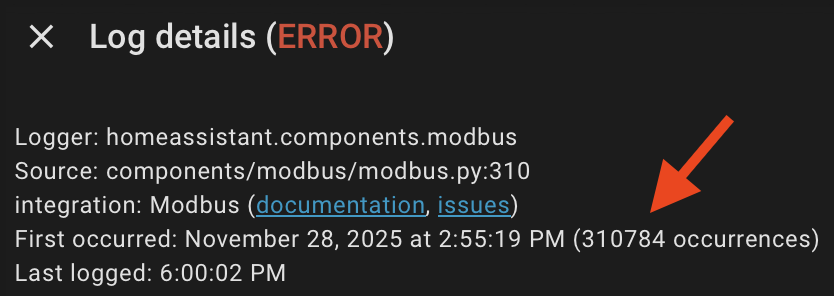
Not show stopping, but the penny finally dropped after talking it through with @jdownie and @zeeclor at Chermside recently - I really only need the 5002 (reg 5003) and 5600 (reg 5601) values, I and can synthesise a couple of other values from there. Other very useful registers in the 13xxx series are missing for me (such as daily PV generation, daily exported PV), and I have no use for static values such as the inverter serial number or anything related to batteries, as I don’t have any. 5003 and 5601 are there, and I can get by with only them.
I’m not going to post the cut back version of the above project, as ideally one would run the Modbus cable or get things working properly in Home Assistant the intended way. However, in a pinch, one can get some energy dashboard goodness going using those two registers only:
- 5003: Daily PV generation & battery discharge (sg_daily_pv_gen_battery_discharge) in the above project’s code, and Daily power yields in the Sungrow “Communication Protocol of PV Grid-Connected String Inverters” documentation, and
- 5601: Meter active power raw (sg_meter_active_power_raw) in the above project, but doesn’t seem to be documented in Sungrow’s protocol docs at all. In my case, it corresponds to the raw power value through the S-100, with the direction of power flow (- for export, + for import).
Watching iSolarCloud confirmed that these values corresponded to the generation and the values being passed through the S-100 meter (either positive for import or negative for export), respectively. I don’t have batteries, so I’ve adopted 5003 as a proxy for generation as it seems to be a broader “energy coming out of the inverter” value, which for me will be just as good as values for PV generation only given that the 13xxx series of registers aren’t available on my setup. That value slots neatly into Solar production in Home Assistant, as is.
The final piece of the puzzle was some YAML to turn sg_meter_active_power_raw (5601) into two separate sensors - one for import and one for export, and then integrated versions of those values for the energy dashboard (Grid consumption, and Return to grid). Code snippets below:
template:
  - sensor:
      - name: "Power Active Import"
        unique_id: "power_current_import"
        state: "{{ [states('sensor.meter_active_power_raw') | float(0), 0] | max }}"
        unit_of_measurement: "W"
        device_class: power
        state_class: measurement

      - name: "Power Active Export"
        unique_id: "power_current_export"
        state: "{{ [(-1 * states('sensor.meter_active_power_raw') | float(0)), 0] | max }}"
        unit_of_measurement: "W"
        device_class: power
        state_class: measurement

sensor:
  - platform: integration
    source: sensor.power_current_import
    name: "Total Energy Imported"
    unique_id: "energy_imported"
    unit_prefix: k
    round: 2
    max_sub_interval: 300

  - platform: integration
    source: sensor.power_current_export
    name: "Total Energy Exported"
    unique_id: "energy_exported"
    unit_prefix: k
    round: 2
    max_sub_interval: 300
For the sake of documentation completeness, I originally left the sg_meter_active_power section included in Martin Kaiser’s project where it takes the meter_active_power_raw value and handles “Unavailable” state, was running that sg_meter_active_power through a filter made in the Home Assistant GUI with an upper bound of 0 (named filtered_meter_export_only, and then had the following sensor taking that negative value and turning it into an absolute value (i.e., converting the negative power into a positive integer representing power being exported):
  - sensor:
      - name: "Power Export Absolute Value"
        unique_id: "total_power_consumption"
        state: "{{ states('sensor.filtered_meter_export_only') | float | abs }}"
        device_class: power
        unit_of_measurement: "W"
This morning I changed to read the raw value sensor instead (5601), handling any non-integer values with | float(0) and using “multiply by -1” to turn any negative (export) values into positive ones. The end result was the power_current_export sensor above. Same same, but it’s a single self-contained sensor now and not a multi step process using a filter created in the GUI + a sensor to convert that filter with a negative value into an absolute value.
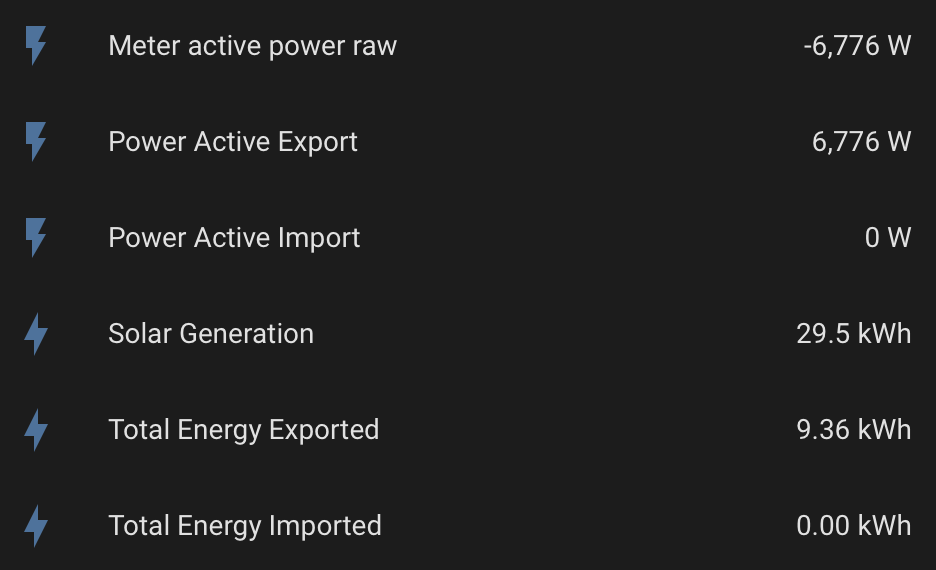
End result is that I get an export power value in W and integrated kWh energy values while exporting:
… and an import power value in W and integrated kWh energy values while importing:
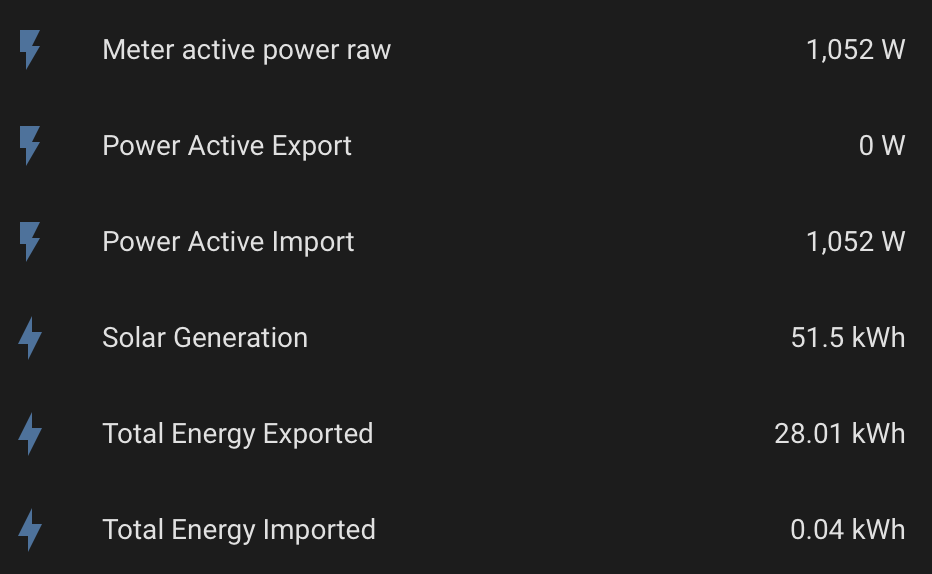
These slot nicely into the dashboard I demonstrated last night, which was nothing more than the Home Assistant defaults.
Hope that’s helpful for others. There is hope for those of us who are stuck using Modbus over the WiNet-S and can’t get a cable run out to the inverter!