After the Christmas break i had a few more photos to file away. As i dumped them into the “Family Photos” folder on my NAS i noted that this was just the latest collection of photos that i’ve unceremoniously dumped in there, intending to file them “properly” one day.
I finally acknowledged that that day was never going to arrive, so i should do something differently now. I had a session with Claude asking for a python script that could arrange the photos using only the information available.
It has taken sixteen revisions (so far) to get organise.py to it’s current state and i’m pretty happy with the result.
My process is to dump my photos and videos into a folder called chaos and run organise.py . That script moves those files from chaos into one of three folders; order, error or duplicates. As i decide that the script can be better, i move them from order (or maybe error) back to chaos, run an improved organise.py again and observe the result.
I decided that the filenames were meaningless, so i’m using an md5 of the file’s contents as the new file’s name. That helps me recognise duplicates, which is the folder that they go into. That’s my first win. Out of 122G of treasured memories, i’ve finally removed 14.4G of duplicate needles from that haystack.
Under the order folder, i’ve got a three level structure. First the name of the camera that they were taken on, then the year they were taken on, then the month they were taken on. I’m only trusting dates in the EXIF header data, not the file’s mtime or ctime. The name of the camera alone tells me a lot about the time in my life that the photo or video comes from. It’s been a bit fun to look up some old models and reminisce about old gadgets and the years they were from.
Unfortunately, a lot of the files don’t have information about the camera. In that case i’m using the resolution of the photo or video to calculate the number of pixels per frame (because i don’t care about orientation). I’m zero padding those numbers out to 10 places so that i can sort the folders alphabetically by folder name to get an idea of sizes. This gives me a folder name like “Unknown 0005703943” (for example). That at least lumps files together by resolution which is better than nothing.
There’s still a lot of junk in my collection, so now that i have a way to broadly group them i should be able to sweep through this a bit more swiftly. My next phase of work will be to delete big collections of junk that i haven’t been able to easily isolate until now.
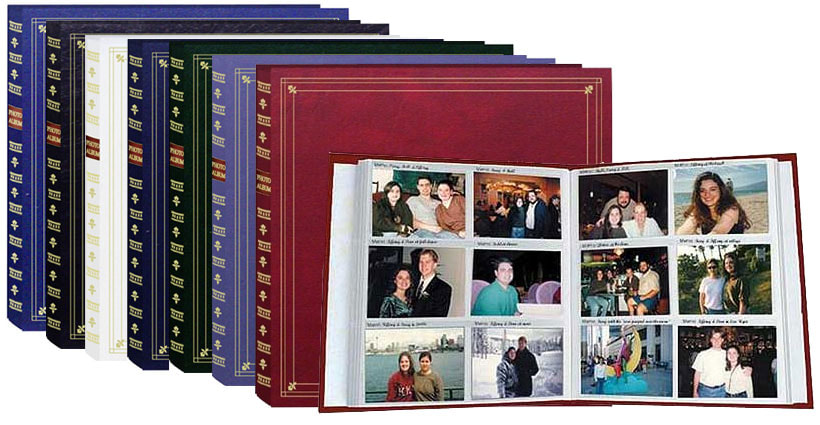
I’m optimistic that i might finally be that person with a carefully curated library of family memories. The digital equivalent of this…
It’s very exciting that i can now take care of jobs like this that have just not been worth the effort until now.
I’ve tagged this post with llm hoping that others might tag their similar stories similarly. Does anybody else have any stories of how they’ve used an LLM to tackle a problem that wasn’t worth the effort previously?