In the past I have used caddy to obtain certificates for my public facing docker instances. I found it simple enough to understand and more reliable than nginx reverse proxy. I have installed multiple single domain certificates through the caddy http challenge mechanism.
@Belfry’s talk at the last meeting demonstrated that this approach is rudimentary and labour intensive at best. He went through the various options for obtaining certificates for the homelab and clearly a DNS challenge is the better way. Creating wildcard certificates makes life much easier.
He mentioned creating an xcaddy binary is necessary to do this if using caddy and I have put it on my to do list. Jim Turland’sguide on setting this up is clear and looks pretty straight forward. I will need the hetzner plug in but that seems eminently doable.
Also, at the last meeting I understood @jdownie was solving his certificates problem in his kubernetes cluster following advice from @Kangie’s and @shirbo’s talks. Between traefik and cert-manager you can get a “valid” (viz the browser does not complain) widcard certificate. For a kubernetes cluster that seems a better solution that sticking with caddy.
So, if I have understood correctly, with this setup I could get valid certificates for servers on my home network using DNS challenges even for URLs that do not exist on the public internet.
However, again if I am following along correctly, I will need a local DNS server. I am currently using my router for this but I understand pi-hole is an option and I note that Christian Lempa has gone the whole hog, using bind9 in a container.
I can see a few interpretations of that final sentence, so hopefully this disambiguates:
A local DNS server is not necessary to obtain the wildcard cert via whatever method you’re using (e.g., traefik, cert-manager etc.). All one needs to do is add the _acme-challenge TXT record to your public DNS. Whichever CA used to issue the certificates via ACME needs to see that DNS TXT record to validate that whoever is requesting the certificate controls the domain name (i.e., that _acme-challenge TXT record must be publicly accessible to the CA).
However, once you’ve got your wildcard certificate, you’ll probably want to resolve several host names internally within your network. Your router will be fine for this, as will Pi-Hole, or Adguard Home, or bind, or Unbound, or dnsmasq. It really depends on what other functionality you may or may not want included. I’ve used all of those over the years, and currently just use the static entries within my MikroTik router. I’ve also heard excellent things about Technitium DNS Server but not tried it myself. Nothing stopping you from using public DNS entries as well (and just creating A records for internal IPs) - I believe that’s the approach that @jdownie takes.
“DNS server” is a bit ambiguous - you will need to host DNS somewhere public so that the ACME provider can look up the _acme-challenge TXT record from your authoritative DNS server, and you may or may not want to use a local resolver within your LAN to provide either an alternate authoritative DNS server (split DNS), but this isn’t strictly necessary. You will almost certainly have a local DNS resolver on your LAN (e.g., your router) which you can throw some static entries into (e.g., this article referencing AdGuard Home’s functionality to do so). There’s no need to have a full authoritative DNS server locally, unless you want one for other reasons.
I can provide a worked example if my attempt to clarify is in fact making the issue more confusing
This sums up my experience with the certificate manager. The only difference for mine is I do not request wildcard certificates, I get a certificate per ingress/website. Cert-manager in k8s has the necessary smarts and API keys to create a _acme-challenge for each ingress/website on the public DNS.
I shall also state that none of my URLs are public facing, the _acme-challenge TXT record is just used to issue the certificate. I have no wildcard public DNS entries, so my internal URLs will not resolve outside of my network.
In house, I use AdGuard Home with DNS Rewrites to resolve the internal URLs. It has been one of the most stable components of my homelab and allows me to apply different DNS filtering rules depending on the device.
Thanks Guys. As stated I am on my learning curve with all this and just was following along on Christian Lempa’s site. I went with the docker version since I am far more familiar with docker than kubernetes.
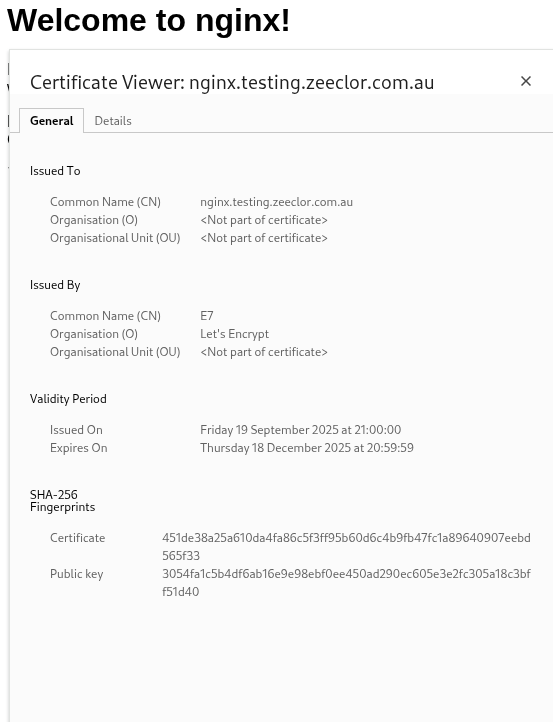
I found it worked quite well. I was able to create a certificate for nginx.testing.zeeclor.com.au without making a CNAME or A record in my DNS zone on hetzner. It won’t resolve on the internet but does resolve locally with a valid certificate. Sounds like a good solution for kubernetes.
My router is a little temperamental as a local DNS resolver but eventually synced up so I am still thinking I should setup an AdGuard Home or similar.
Without wanting to get too off topic from the certs and DNS talk, network wide ad blocking via your own local DNS resolver is worthwhile doing anyway, in my opinion.
I don’t have any stats any more as I’m currently using the functionally similar built in Adlist function in RouterOS (Any MikroTik aficionados in HLB land able to tell me how to keep stats on the ad blocking?)… but years of AGH and Pi-Hole for normal home use always had a block rate of 30-35%. @shirbo or other AGH/Pi-Hole/Technetium (or NextDNS users) might be able to confirm their hit rates, but I’d say it’s probably similar. Depending on your router, you may be able to run AGH on the router itself - I used to do this with an Ubiquiti EdgeRouter.
The amount of cruft that gets delivered with your web traffic is truly astonishing. Web browsing feels snappier as machines aren’t spending a third of their time downloading and rendering garbage, and there’s some potential anti-tracking and anti-malware benefits too (but these are very blunt instruments and not at all a complete privacy/security solution).
Network wide ad blocking via a locally hosted DNS resolver is an “easy win”, and if your local router’s DNS is “temperamental” then being able to set up rewrites etc. for your local services on a separate DNS is an added benefit.
If you have a homelab (or are homelab curious) this is pretty much a no-brainer! I highly recommend using something like OpenWRT or OPNSense to handle your homelab routing needs.
I actually have external DNS and NTP requests NATed to my router (which has an attached PPS GPS clocksource), so nothing can be sneaky and try and resolve bad things outside the network. Well, except DNS over HTTPS but that’s another story.
Yeah, they did fire me up. @Grim has been giving me a little private tuition as well. I registered a domain and hosting about ten years ago, and have fiddled with it very little. With @Grim’s encouragement i have shifted my DNS hosting over to Cloudflare, but that’s as far as i’ve progressed. All this time i didn’t even have an understanding that domain registration and domain hosting are separate. I assumed that the two were inexorably intertwined. I always assumed that whoever got the money would take care of the whole thing.
Anyway, now that Cloudflare is hosting my domain i’m free to turn my attention to traefik in my k3s cluster again… whenever i get to take off my Dad and employee hats for a while