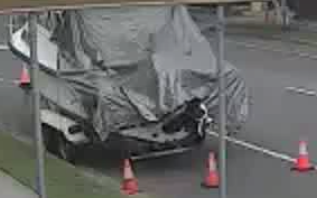
So Ron, my neighbour across the road, had equipment stolen from his boat last month. He asked if I had any footage of the boat but alas my motioneye system did not pick anything up.
I now have my RTX 5060 running in an old server. It’s not that smart on its own and so I was looking for a project within its capabilities. @Bryan had mentioned Frigate as a surveillance app and the @techman had suggested that future surveillance software would all use local AI to filter and describe the captured images. I was in.
Adding frigate to my ollama setup was fairly straight forward. Since there was potentially a lot of data I am using a NAS for storage. I also wanted home assistant notifications and hence needed mosquitto for that.
# /opt/ollama/compose.yaml
services:
  ollama:
    image: ollama/ollama
    container_name: ollama
    restart: unless-stopped
    ports:
      - "11434:11434"
    environment:
      - OLLAMA_CONTEXT_LENGTH=16384
      - OLLAMA_KEEP_ALIVE=5m
      - OLLAMA_MAX_LOADED_MODELS=1
      - OLLAMA_NUM_PARALLEL=1
    volumes:
      - ./data:/root/.ollama
    gpus: all


  open-webui:
    image: ghcr.io/open-webui/open-webui:main
    container_name: open-webui
    restart: unless-stopped
    ports:
      - "3000:8080"
    environment:
      - OLLAMA_BASE_URL=http://ollama:11434
      - ENABLE_WEB_SEARCH=true
      - WEB_SEARCH_ENGINE=searxng
      - SEARXNG_QUERY_URL=http://searxng:8080/search?q=<query>
      - ENABLE_RAG_WEB_SEARCH=true
      - RAG_WEB_SEARCH_ENGINE=searxng
    volumes:
      - ./open-webui:/app/backend/data
    depends_on:
      - ollama
      - searxng

  searxng:
    image: searxng/searxng
    container_name: searxng
    restart: unless-stopped
    volumes:
      - ./searxng:/etc/searxng

  frigate:
    image: ghcr.io/blakeblackshear/frigate:stable-tensorrt
    container_name: frigate
    restart: unless-stopped
    shm_size: "1024mb"
    gpus: all
    env_file: ./frigate/.env          # FRIGATE_RTSP_USER / FRIGATE_RTSP_PASSWORD
    ports:
      - "8971:8971"                   # web UI (authenticated)
      - "5000:5000"		      # web UI (unauthenticated)
      - "8554:8554"                   # RTSP restream
    volumes:
      - /etc/localtime:/etc/localtime:ro
      - ./frigate/config:/config
      - /mnt/frigate-nas:/media/frigate
      - type: tmpfs
        target: /tmp/cache
        tmpfs:
          size: 1000000000
    depends_on:
      - ollama

  mosquitto:
    image: eclipse-mosquitto:2
    container_name: mosquitto
    restart: unless-stopped
    ports:
      - "1883:1883"
    volumes:
      - ./mosquitto/config:/mosquitto/config
      - ./mosquitto/data:/mosquitto/data
I have tapo cameras that can stream at high (stream1) and low (stream2) quality. Turning on high quality streaming killed the network and sent me down the rabbit hole of a total network restructure.
There are no more mesh uplinks since high def on a wireless link overloads the system. Now all APs are hard wired. I spent hours tweaking routers to get the right vlans talking to the right ports on the right switches. Flapping between channels kicked my Sungrow connections off line and I lost control of my “solar system” for a few hours. Locking cameras and Sungrow to the nearest AP was the solution. External interference on Channel 1 caused me to reposition the AP and reassign the non-overlapping channels. Take home message - “Don’t cross the streams”.
After getting all that sorted I had almost forgotten what the original intention had been. However the system can now recognise dogs, cyclists and pedestrians. It’s a busy street so I chose to ignore cars but audio is enabled so I am also on the lookout for “yell, bark, glass, shatter, smash, bang, skidding, tire_squeal, explosion, gunshot, siren and car_alarm”.
I now have a motion zone on the tarp on Ron’s boat. If anybody moves it, I’ll hear about it.