I previously mentioned the ability to run Windows and MacOS as virtual machines under proxmox using the add on proxmenux. (It can do a heap of other stuff as well). I noted recently that Jim’s Garage has done a video on running them under docker.
That may be of interest to some here since there is often a need to run the occasional applications on legacy operating systems.
Interesting looking project. Funnily enough, I already had both the macOS and Windows ARM projects in my browser bookmarks. Apparently I’ve stumbled across them before with the intent of playing with them one day, but not got there yet .
I’m curious to see what macOS thinks the Docker container is, hardware wise. I found a few references on GitHub to macOS knowing that it’s being virtualised, and I assume the project is leveraging the x86-64 support currently in macOS to support Intel Macs (not for much longer). Unfortunately the video above didn’t bring up System Information or About This Mac to confirm Intel or ARM under the hood - not at all their fault given their stated unfamiliarity with Macs.
Have moved the macOS variant of the project to the top of the “try it out pile” when I get a few free days to spend tinkering.
Curiosity got the better of me, so I set up a macOS Docker container today per the linked project and the video that @zeeclor posted.
I used some spare hardware I had laying around (3rd gen Intel CPU - 13+ years old), installed Fedora and Docker, and did nothing more than copy and paste the Docker Compose file listed on the front of the project GitHub page for an install of macOS 13 Ventura using all the defaults.
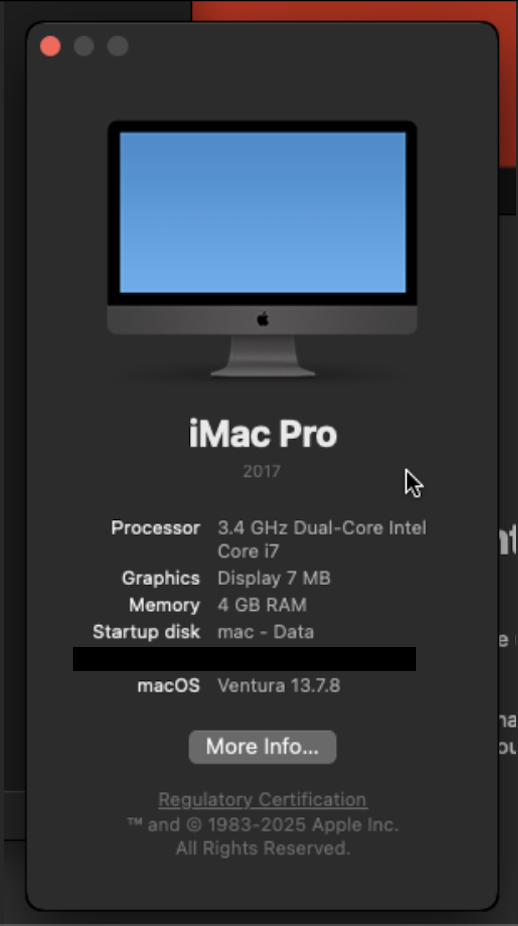
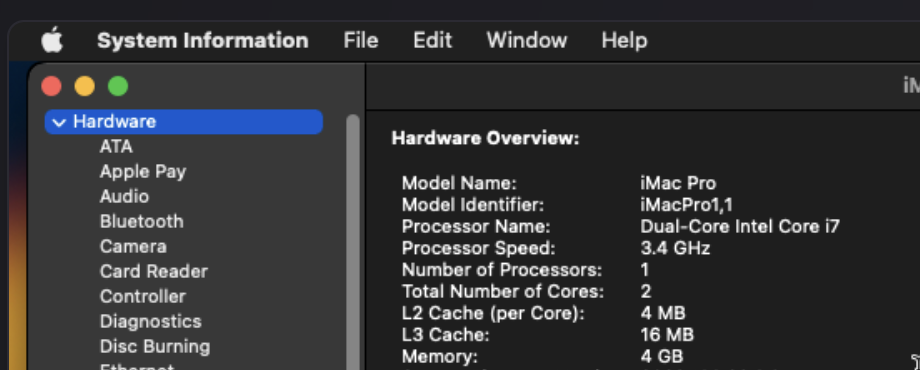
Here’s the About This Mac and System Information outputs for those interested.
My particular machine is identified as a 2017 iMac Pro with a non-existent configuration of a dual core i7 with 4GB ram. The actual hardware in that machine is closer to a base model 2012 iMac, with half the RAM.
It looks like the project is leveraging the current Intel CPU support within macOS, so it’ll be interesting to see if any versions beyond Tahoe/26 are somehow supported in the coming year(s).
It is skull crushingly slow on my ancient hardware, but is technically very impressive to see working. The macOS Docker container is running QEMU, and I’ve got no reason to run macOS in QEMU in Docker on generic x86-64 compatible hardware (and violate Apples EULA, for what it’s worth) versus just running macOS in a VM on my actual Macs, but it’s definitely neat.
I’ll leave the machine intact for a few days in case someone wants me to test something specific. Otherwise, it’s a pretty interesting use of Docker and it works seamlessly. If you have a need to spin up a macOS setup to test something out (e.g., check how a website looks in macOS, test a program, etc.) it’d work well as a quick way to get the job done.
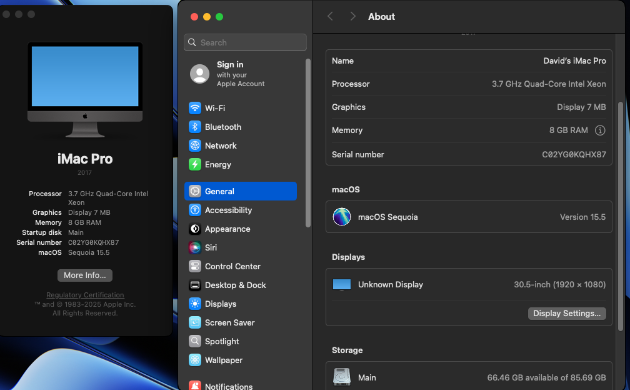
Interesting - same machine identified by the looks of it (2017 iMac Pro), with a slight variation on the CPU and RAM.
Pure speculation here - but Proxmox on Apple Silicon probably isn’t all that far fetched. My previous Proxmox server was Proxmox installed over Debian (because that machine had no video output or expansion slots and I had to install Debian over the serial port, then put Proxmox on top). I wouldn’t have thought it’d be too big of a leap for Proxmox on Debian arm64 to be possible, if one really wanted to make it work (especially given that QEMU and Debian both run happily on Apple Silicon already).


 .
.
 on my ancient hardware, but is technically very impressive to see working. The macOS Docker container is running QEMU, and I’ve got no reason to run macOS in QEMU in Docker on generic x86-64 compatible hardware (and violate Apples EULA, for what it’s worth) versus just running macOS in a VM on my actual Macs, but it’s definitely neat.