Hi All,
I’ve just set up a ‘homelab-brisbane’ on the Fossil Github equivalent for Fossil SCM.
I have set up passwords for david,belfry and jdownie, so if you want to test this out (its really easy) just email terryp@fastmail.com for your password. The repo is currently private while we mess around.
naturally remove the brackets when entering your ID and password
you will see a bunch of stuff on your screen and when its finished you will have
1. homelab-brisbane.fossil which you can see on your browser by running “fossil ui” in that directory
2. /homelab-brisbane
What has occurred is that the Repo (homelab-brisbane.fossil) has been copied from chiselapp.com to your pc, then a directory created for it named “/homelab-brisbane” which has them been ‘opened’ from the new Repo (don’t delete this). You didn’t have to do anything but the clone. The Repo being a clone will update the original Repo at chiselapp.com everytime you do a ‘fossil commit’ unless there is some merge issue, in which case it will tell you.
cd to /homelab-brisbane and run
fossil status, then fossil timeline
see the file “README.txt” if you add your name to the list and then do "fossil commit -m “added name” it will update your local repo “homelab-brisbane.fossil”AND push the change to the repo at chiselapp.com !
You can test this by looking at the Fossil UI at chiselapp.com
now in the ‘working directory’ for homelab-brisbane enter “fossil ui” and your local copy of the fossil web page will open.
What does that leave to do ? why a UPDATE of course !
In the ‘working directory’ for homelab-brisbane enter “fossil update” and if anyone else has added or changed the repo at chiselapp, that change will be effected to your local repo and you’ll see it right away .
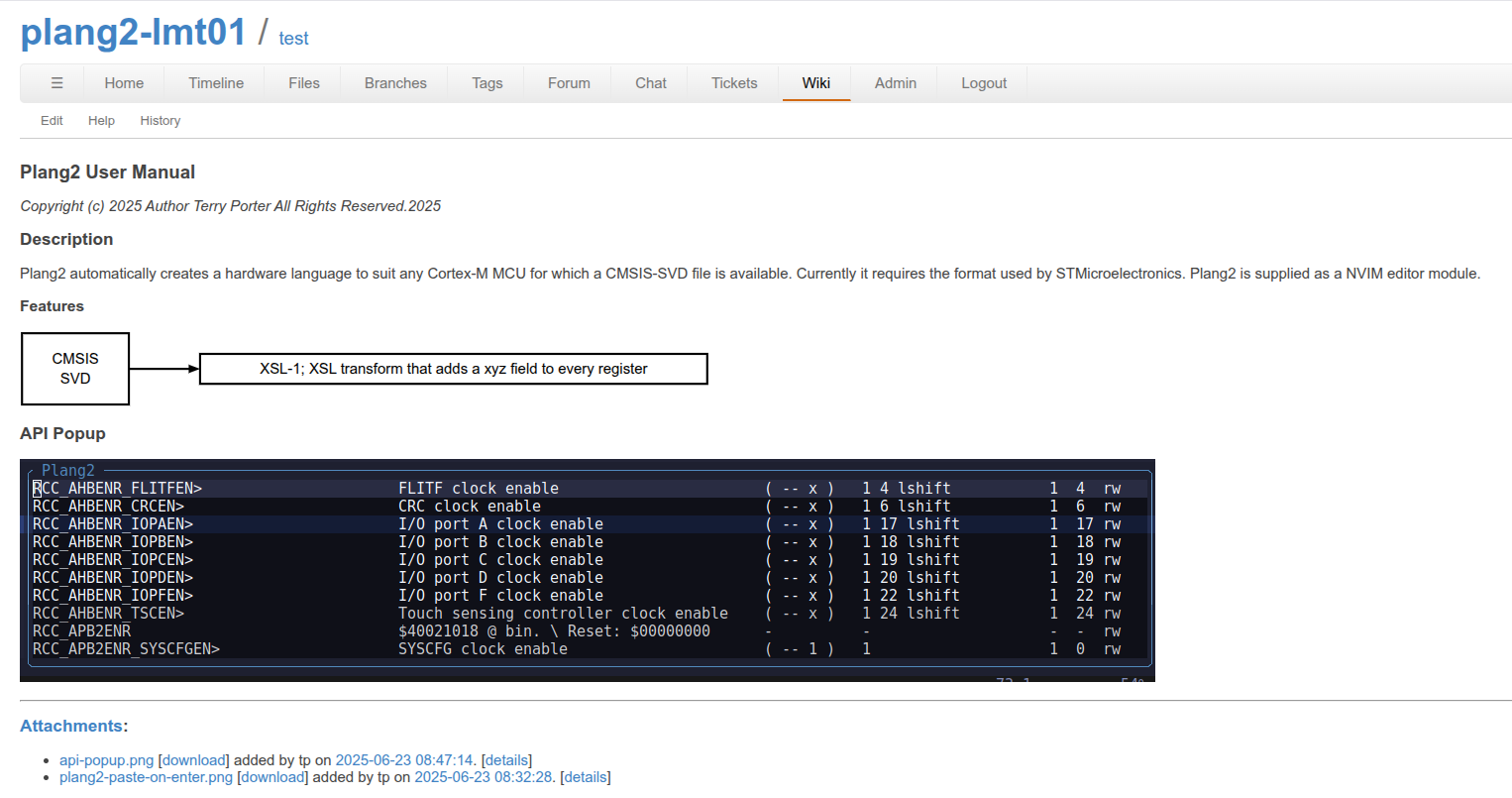
See the flow chart “CMSIS SVD” ? Fossil has integrated Pikchr with its Wiki.
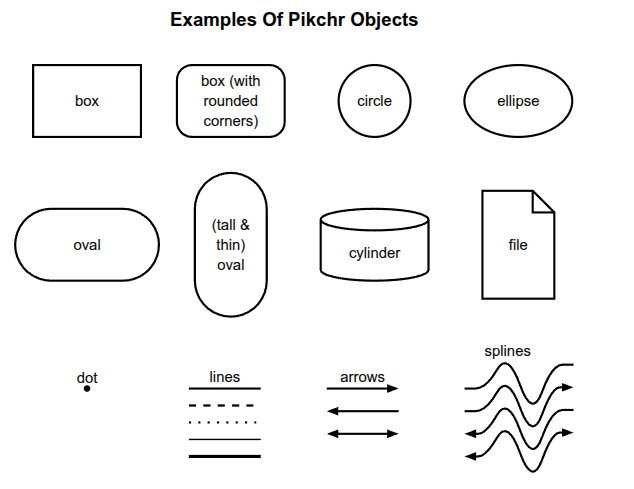
Pikchr (pronounced “picture”) is a PIC-like markup language for diagrams in technical documentation. Pikchr is designed to be embedded in fenced code blocks of Markdown or similar mechanisms of other documentation markup languages.
This was all the code needed to generate that “CMSIS SVD” graphic
I’ve moved my work on a logo into this repo. I’m struffling to get my head around a few fossil things. I wanted to rename a file and i thought it would be fossil mv, fossil add . and fossil commit -m. That didn’t go quite as planned for me. Anyway, now that i’ve moved my logo stuff in here i’ll have a reason to fail and learn enough to work it out.
I’ve also made some enhancements to my repo command so that when i do one of my repo status or repo lcs (to “lazy commit” and sync) it handles git and fossil repos. There are still a few blind spots in that script though. For instance, for git repositories i had worked out how to do a git fetch and then indicate how many commits were to be pulled and how many to be pushed. That is yet to be implemented for fossil repos. I discovered that a git status automatically shows new files, whereas fossil needs me to run a fossil status and a fossil extras to work out the same thing.
Anyway, i’m getting there. Thanks for setting up something for me to learn in @techman .
After adding or removing or renaming files, run “fossil addremove” and it’s all done.
I added a heap of aliases to avoid all the long names in my bash.rc, for instance:
fossil status (or fossil stat) became “fs”
Fossil commit became “ffc” as “fc” is a utility name
and so on.
Fossil extras only shows uncommitted files.
On YA! for giving Fossil a go James.
.. sent by terry on his only workstation (a NixOS machine)
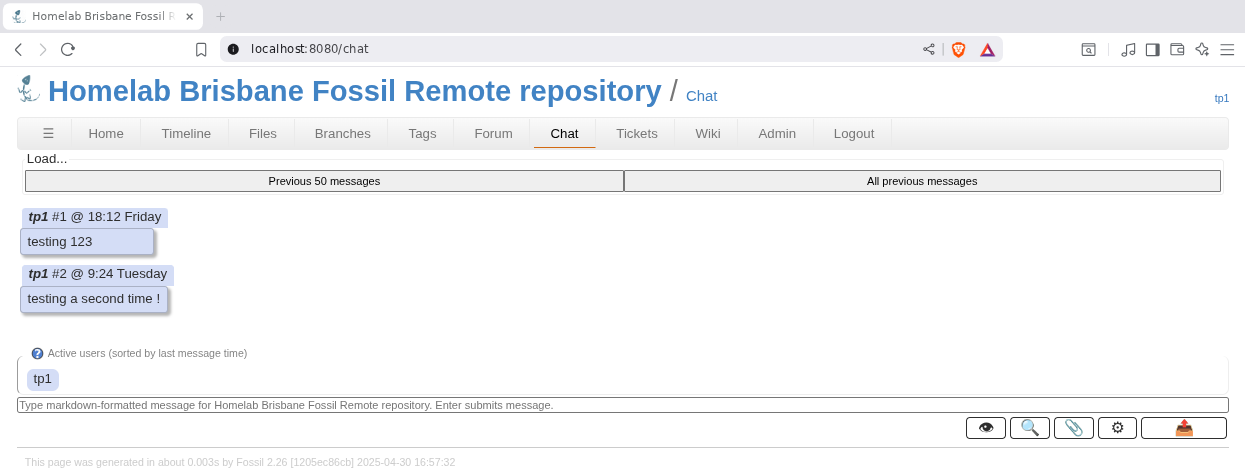
Well, it’s a pretty unfair test. There was no line of sight from my self hosted fossil session. I was just curious to see if my chat message got somehow bundled up and pushed for others to pull.
Whether it’s meshtastic’s relay network or fossil’s chat feature, i seem to gravitate towards elaborate chat solutions.
Fossil SCM’s chat feature is designed to provide a simple and functional real-time communication mechanism for geographically dispersed developers.2
It is not intended as a replacement or competitor for IRC, Slack, Discord, Telegram, Google Hangouts, etc..2
The chat feature is ephemeral, meaning that chat messages do not sync to peer repositories, and they are automatically deleted after a configurable delay (default: 7 days).2
To activate the chatroom, simply add the C capability to every user who is authorized to participate. Anyone who can read chat can also post to chat. Setup (“s”) and Admin (“a”) users always have access to chat, without needing the “C” capability. A common configuration is to add the “C” capability to “Developer” so that any individual user who has the “v” capability will also have access to chat.2
The chat feature uses the “hanging GET” or “long polling” technique to receive asynchronous notification of new messages. This is done because long polling works well with CGI and SCGI, which are the usual mechanisms for setting up a Fossil server.2
Chat messages are stored on the server-side in the CHAT table of the repository. The CHAT table is not cross-linked with any other tables in the repository schema. An administrator can “DROP TABLE chat;” at any time, without harm (apart from deleting all chat history, of course). The CHAT table is dropped when running fossil scrub --verily.2
The chat feature also allows for the sending of messages from robots. The recommended way to allow robots to send chat messages is to create a new user on the server for each robot. Give each such robot account the “C” privilege only. That means that the robot user account will be able to send chat messages, but not do anything else.2
The chat feature does not support message-editing capability. This is by design and desire of the chat’s developers.2
The chat feature is intended for use by insiders - people with check-in privileges or higher. It is not intended as a general-purpose gathering place for random passers-by on the internet. Fossil chat seeks to provide a communication venue for discussion that does not become part of the permanent record for the project. For persistent and durable discussion, use the Forum.
Yeah, i was picturing a store and forward solution, and even then i was just thinking that it would be nifty if it went to that trouble. That functionality would be pretty redundant when a forum is right there next to it.
What you have to do however is log onto the chiselapp server and sit on the chat page. just hit enter to send and it beeps at me when someone sends (if I’m off the page).
I now have a new teaching method. I once maintained a very popular website for Forth atThe Unofficial Mecrisp-Stellaris Doc site but after a decade it became unmanageable with too many broken links, missing parts and cruft. I still maintain it but it’s effectively too much work, and mostly dead.
But now, thanks to Fossil SCM I have a new technology to disseminate my knowledge.
Fossil makes possible documentation, pictures and versioned source code, all in the one easily downloaded, single file repository. This means teaching in small manageable and update-able modules is my new way forward.
Have a look at the doc, it’s all self contained in the Repo using numerous Wikis, with an easy to use menu to navigate the project. It was actually ridiculously easy to do, once I knew how.
The Doc is versioned but separate to the source code, and instantly applicable, as no commit is needed. It’s pushed to the master distributed online-Chiselapp Repo from mine.
This is how I’m going to distribute the knowledge of the technologies I have learnt, going forward, and starting with a Embedded Forth Workshop series.
What do you guys think about this documentation strategy, does it work for you ?
That’s a very neat solution. FWIW, i’ve tried to do the equivalent in a git repo. It amounted to a bunch of markdown and .png files in a subfolder of the repo, and i turned to pandoc to convert those documents into distributable documentation. Honestly, the documentation part of the repo was as onerous as the code itself.